Golden Opportunity for Virtual Assistants (VA), Remote & At-Home Workers!

Golden Opportunity for Virtual Assistants (VA), Remote & At-Home Workers!

VAPS - Virtual Assistant (VA) Professional Services

Business Logo, Social Media, Branding, Graphics Creation, . . .!

A Golden Opportunity for Virtual Assistants (VA), Remote & At-Home Workers!

MASSIVE DEMAND + LIMITED SUPPLY =

YOUR GOLDEN OPPORTUNITY

What does this mean for you?

A massive, highly profitable opportunity to solve the visual content crisis businesses face . . . they don't have the time, energy or skills to do it all themselves . . . with billions of social media users spoiled by stunning graphics every second.

. . . 1st impressions means EVERYTHING . . .

FREE eBook SIGN-UP!

VAPS - Virtual Assistant (VA) Professional Services

Register for a FREE eBook on

"Becoming a VA Entrepreneur!"

NOTE:  Please Check your Provided EMAIL INBOX for Download-Links to Your eBOOK and other qualifying Premium Resources.

Attract Top Paying Clients

Every business is looking to leverage social media and wants the MOST simple, results-driven service to help them . . . "and want to pay you" to make this work easier?

This desperately need is great news for you if you can become the fastest go-to-expert to produce professional designs, marketing services & social network management services, . . . imagine having 10, 20, even 50 clients each happily paying you $1,000 every month for:

social media marketing

website design services

graphics & flyer design

typing and data entry

report preparations

email & telecom support

. . . High-quality visuals are CRITICAL to attract traffic and buyers . . .

If websites, social posts or marketing material looks PREHISTORIC, they scare prospects away.

Whether it's a 9 figure brand or a solopreneur, businesses simply HAVE to use amazing visual designs, but Business Owners simply do not have the time to:

  • Spend months learning technical design skills and expensive software
  • Pay big money to designers and wait weeks for results
  • Waste hours & thousands of dollars on the same tasks repeatedly
  • Risk getting tied up in slow work results when solutions are need immediately to get to market.

LEARN . . .

Learn the right tech-skills and get hands-on office and business support expertise that can help you to be productive and valuable to a business or professional client.

Prepare . . .

Prepare yourself for the jobs market by mastering technology, business tools & skills that will help you engage and market your value-added support to clients.

DO . . .

Build the support network needed to grow your business . . . train yourself and engage the support needed to not just survive, but to strive and grow your business.

How to Start a Virtual Assistant Business

How to Start a Virtual Assistant Business

How to Start a Virtual Assistant Business

Welcome on your new journey to learning and becoming a Virtual Assistant (VA).

We offer a Suite of Business Skills Training and Productivity Tools to Help You Launch Your Business to New Heights

Bringing Your New Horizon into Focus

How to Start a Virtual Assistant Business

     There are many qualities and variables you should have to start-up a successful Virtual Assistant business, from a having  solid history of administration work experience to having a strong network of like-minded business individuals to learn and share business knowledge with.  Every potential Virtual Assistant’s scenario will be different and it is seldom two are the same.  This makes us so unique to one another which is why this is such a non-competitive industry to be in and very profitable.

It’s not always easy to switch from a real-world corporate administrative working environment into the virtual world but once you do, you can be making anywhere from $25-$100 an hour depending on the services you offer.  For example, I am a specialty Internet Marketing VA and earn $125/hr.  At our Agency Portal we have some resourceful suggestions to making this corporate to virtual transition less confusing and very simple for any entrepreneur just like yourself.

Starting up a Virtual Assistant business requires a person who has an entrepreneurial spirit, is passionate about working from home and loves what they do for a living. These are the true tell-tale signs of a successful Virtual Assistant business in the works who just needs some inspirational instructional help to encourage and make it happen.

Download our Virtual Assistant Start-Up Checklist

What is a Virtual Assistant? 

Virtual Assistant (VA) is a highly-skilled, independent professional who remotely provides administrative, technical and/or creative business support services.

How to Start a Virtual Assistant Business

I'm learning how to start my own Virtual Assistant Business. Learn how you can too!

What Services Can I Offer as a Virtual Assistant?

The easiest way to figure out what services you can offer to clients is to make a list.

  • Draw out 2 columns, in the first column write what you excel at.
  • In the second column write down what you actually like doing. You might be really good at bookkeeping, but hate doing it.  You don’t want to do something that you don’t enjoy doing or it will make it hard to go into your home office each day.

Once you create your list, think about if any of your skills are desirable. Do people need the service you are offering?

Now it’s time to decide who you want to work for . . . You may want to write out another list.

  • Write down what type of clients you’d like to work with . . . If you don’t enjoy working for certain types of people or in specific industries, it’s important to avoid them.
  • Don’t target a client type that you don’t respect because if you do, you’ll hate working for them and won’t be motivated to earn your full potential.

Remember, this is YOUR business. You get to decide what services you offer and who you work with.

Here are some services that you can offer clients as a Virtual Assistant

How to Start a Virtual Assistant Business

  1. Bookkeeping
  2. Customer service
  3. E-commerce site setup
  4. Email management
  5. Email marketing
  6. Graphic design
  7. Launch support
  8. Proofreading
  9. Sales page creation
  10. Social media marketing & management
  11. Transcription
  12. Travel planning
  13. Video editing
  14. Webinar support
  15. WordPress services

What Equipment & Software Do I Need to Start Up a Virtual Assistant Business?

The equipment required to start up a virtual assistant business will vary depending on the services that you will offer.

  • One thing you will need for certain is a computer and an internet connection.
  • Don’t go out and buy every hot program, wait until you need it.
  • Most programs offer monthly subscriptions which can really help when starting out on a low budget.
  • Do some research and ask what programs you should have for the specific services you are offering clients.

It’s good to stay organized with your expenses from the get-go, so we recommend either using a simple spreadsheet or an accounting program such as Freshbooks or WaveApps (free).  Trust us, you’ll thank us at tax time.

How Much Does it Cost to Start my Virtual Assistant Business?

Luckily for you, if you already have a decent computer, the start-up costs are fairly minimal.  You can write out a list of items you think you’ll need for your business and get a fairly close estimate.  You’ll want to factor in things such as, a computer, internet, web hosting and any programs you might need etc.

Once you’ve registered your business, set up a business bank account so you can keep track of your income and expenses.  If it isn’t in the budget yet you could set up a separate free savings account attached to your personal account just to stay organized.

Do I Need a Business License?

You may need to get a business license depending on the rules of your country, state, city or county.  You can do a search for business licenses for small businesses within your city name to get more information on this.

Do I Need a Website for My VA Business? 

A website is an absolute must for all Virtual Assistants.  You are ‘virtual’, your website is your storefront.  Your client will not only search for your website to solicit your business, but they will refer back to it to obtain contact information, service options, prices and other relevant information about your business.

As a Virtual Assistant, it’s imperative that you create a website that gives your ideal clients the information they need to make a decision to go the next step whether that’s purchasing your services or joining your email list to get more information.  Everything starts and ends with your website.  It’s the center of all your marketing activities.

Setting up a website isn’t that difficult and has a minimal cost.  We recommend that you set up a Self-hosted WordPress.org website so you have full control and ownership of your website.

If you build your website yourself your costs will be minimal.  You will have to purchase a domain name and hosting.  A domain costs about $12.00 and hosting is less than $10 a month. You can decide to use a free WordPress theme and save money, or you can get a paid one for anywhere from $30-$90.

A website offers low-cost advertising and marketing, increases your visibility, and makes you accessible to your audience.  Thus, enabling you to get more clients and make more sales.

Don’t want to set it up yourself? . . . Let us help you get your website online quickly with one of our affordable Virtual Assistant website packages.

How Do I Find Clients as a Virtual Assistant?

First off, you’ll want to sit down and write out a few marketing campaigns for ways to find clients.  Write out each marketing strategy and then break it down into easy to handle tasks that you can check off and complete.  Develop and implement different marketing campaigns consistently to help you maintain your blueprint for success.

Marketing campaign ideas to get you started

  1. Set up a newsletter
  2. Start blogging
  3. Set yourself up on a social network (Facebook, Linkedin, Twitter, Pinterest, Instagram, etc.) and start networking through it
  4. Join some online groups/forums where your market hangs out and start networking online.
  5. Make videos to attract clients
  6. Develop your website
  7. Optimize your website for SEO
  8. Advertise locally in print (business cards, flyers, newspapers, etc.)
  9. Join networking groups locally
  10. Attend and/or get a booth at Tradeshows and conferences your market hangs out at.

Start by approaching previous employers and collegues for referrals and be sure to practice your pitch on this potentially receptive audience.  Network both offline and online as it can take some time (sometimes months) to see results.  Forming a relationship, which is what netWORKing is all about, doesn’t happen overnight.

Getting clients is HARD WORK and takes up a ton of your time!

VAPS Virtual-Assistant (VA) Business Resources

Peruse the manyfreelance job boards where prospecting clients go to hire Virtual Assistants.  HOW COOL IS THAT?

These websites do all the marketing (saving all kinds of time) for a small fee and you get access to their job board to easily fill up your client base.

Starting up a new business isn't going to come without spending a bit of money on overhead or operating expenses, so expect your VA business to also have some initial or startup expenses and investment?

You may need to chnage your mindset from “I can’t afford this” to “I need to invest in my business”.

Just landing one of the jobs on these boards would pay for your membership!  The rest of the jobs would be money in your pocket.

So invest in your Virtual Assistant Business?

Join our VA Internship & Agency Training Programmes includes everything from business templates/contracts and training webinars to VA eBooks and group coaching plus FULL access to our job board where you can find NEW clients!

How Do I Set my Rates as a Virtual Assistant? 

Setting your rates and billing clients as a Virtual Assistant might just be the most difficult part of setting up a business, besides finding clients. There are a few ways you can set up your rates and charge clients.

Hourly – Pay as you go

It is perhaps the most common pricing method for service-based businesses.  The only problem with hourly pricing is that you are limited by the number of available billable hours in a day.  It also does not account for the speed you have developed over time and as a result of this you must increase your hourly rate to account for expertise and experience.

Retainers

Retainer pricing is based on your hourly pricing.  Most people that have retainer pricing provide a discount as an enticement for people to “sign up” for more hours.

For example, your hourly price may be $40 and you may set up retainers as follows:

A – 5 hours – 5% discount $190.00

B – 10 hours – 10% discount $360.00

C – 25 hours – 15% discount $850.00

You get the idea.  If you determine you will provide retainer pricing there are a few things to consider.

  • How quickly must the retainers be used?
  • Do the hours expire?
  • Will you provide a refund?
  • Must retainers be paid in advance?
  • Do extra hours revert to old rate or does this guarantee the new rate?

Check out Pricing Worksheet & Startup Work-Sheet downloads.

Packages

VAPS - Virtual Assistant (VA) Free Business ToolsThis pricing determination is based on services rather than time.  Keep in mind that when you tell someone your price they are valueing this against their ouwn time-savings and costs.

“They estimate that a task may take 10 hours per month which is $400 per month – and would think they cannot afford that”. . .  They do not realize that these same tasks would take you only 5 hours to complete.

  • When providing package pricing you simply provide a list of products you will provide within that package and the price it will cost.
  • You determine this price by estimating the time to complete these services each month and multiplying it by your hourly rate.

An example of package pricing might look like this:

Article writing – $XX per article

Monthly social marketing package – $XXX per month

– includes 12 blog entries
– includes 3 daily tweets
– maintenance of Facebook page

Even though these packages are based on how long you think it will take to do these services and is still based on your hourly price, your client simply sees the bottom line and what they will get for those services.

The client is not left guessing how many hours they may need – they simply know what services they want and how much it will cost.  It is great for them for budgeting purposes.  It also allows you to make more money as you develop speed without having to increase your package pricing.

Keep in mind that as you learn your client’s business and their needs you will undoubtedly get faster.  Hourly pricing does not allow you to benefit from this … package pricing does.

On your website tell your potential client that you can customize a package to fit their needs and their budget.

Project (one time)

You may often hear the question, “I have a potential client that needs me to do xyz, has anyone ever priced something like this?”

Some examples of things you might find a request for project-based pricing include one-time customer projects, mass mailings, calling projects, database entry, etc.

Project pricing works similarly to package pricing.  In essence, the client is simply looking to be able to budget how much a particular project will cost.

Next time you are asked to provide a project price, here are two quick and simple ways to determine the price:

– Industry Standards – research what the industry standards are . . . For example, transcriptions are based on a 1:4 or 1:6 ratio. You can usually do 100 letters of a mass mailing per hour including addressing and stuffing.  These standards are available if you do the research.

– The “test” … take a small sample of the project and then multiply your results.

The biggest problem with project pricing is that until you become familiar with how long something actually takes it can be hard to come up with a fair price.  Many VAs tend to underestimate the amount of time something takes, especially when it is something they enjoy doing.

If I was to ask you how long it would take to type 40 handwritten pages what would your answer be? For each person the answer is different. For this reason, you can see why project pricing can be very difficult.

Don’t be afraid to overquote a project if you are asked to quote a project.  I will often say that I will set a $300.00 budget for the project and track my time.  I let the client know that I will track my time and charge them my hourly rate but not go over the set budget of $300.

Project pricing is a great way again to allow yourself to be paid for your speed and expertise.  As with package pricing, the client is simply looking at the total cost the project will be and whether they think that is a feasible amount to pay to outsource the project.

Keep in mind, as I have stated, that hours to complete a project are subjective … often times those that are not in our industry haven’t a clue how long something will take.  If, for example, you were to have someone build a house for you and they said they charge $100 per hour including costs … what on earth would this mean to you?  Do you know how many hours it would take them?  Probably not.

Be sure to check-out our training workshop on how to set your rate.

Do I Need a Contract?

VAPS - Virtual Assistant (VA) TrainingWhether mail, email, or otherwise, keep track of all communication between you and the other party when it comes to issues of finances.  Confirmation numbers, names of persons you speak to, and any information you can gather can come in handy if an issue comes up that needs to be addressed.

When you work for someone else, you never have to worry about how you will get paid.  You just expect that it will happen.  All of that changes when you go into business for yourself.  As a virtual assistant, it is up to you to make sure that you are getting paid what you are worth for your services.  You are the person in charge and that means you have to make sure you are covered from the start.

The first thing to do with any new client is to get an agreement into place in writing.  Define what your client gets for their money, how you get paid and how your business operates.  Contracts help to avoid disputes later on if there is an issue.  Protect yourself by having a contract in place and by keeping all correspondence with your clients during your working relationship and for some time after.

Download our independent contractor agreement template as a starter for this . . .

Which Social Networks Should I Use? 

It’s important that you’re using the right social media networks so that you aren’t wasting your valuable time.  Most VAs will jump right in and set up every since social network, this is not necessary, nor is it an effective marketing practice.

By now you should have figured out who you’d like to work with.  Now it’s time to see what networks your ideal client is actively hanging out on.  Wherever your target market is, is where you want to be.  Don’t waste all your time networking in virtual assistant groups, . . . your target market isn’t there so focus on where your target market is...!

Need More Help? . . . Enroll in the VA Internship Training Programme

If you already have some administrative work experience, then I highly suggest looking at investing in our VA Internship Training Programme for the entrepreneur who is more frugal, is the do-it-yourself type and just needs the knowledge to start up a VA business in a step by step guide and support framework.

The VA Internship System includes everything you need to get your business up and running quickly and efficiently in the least amount of time including a website! . . . If you are a person who disfavors lengthy reading and writing – rest assured – this entire system was designed with SIMPLICITY and PRACTICALITY in mind.

- An easy balance between practical skills training and real work activities are combined with exposure to value-added business tools and materials to keep you both visually and intellectually stimulated on your journey to entrepreneurship.

Have a look and get started on your journey to your own VA Business . . . !

FREE Business Tools to Help You Easily Work From Home!

FREE Business Tools to Help You Easily Work From Home!

It’s unusual times right now with current events forcing many folks to temporarily start working from home.  One thing I kept hearing over and over again is that many are having a hard time finding the tools and resources to help them easily and economically work from home.  So to help you to easily transition to your new work at home environment:

ACCOUNTING
Wave Financial

Wave Financial

We are big fans of wave finances and recommend it to virtual assistants. It is a free invoicing and accounting software that also has credit card processing and payroll services.

AUDIO EDITING & RECORDING
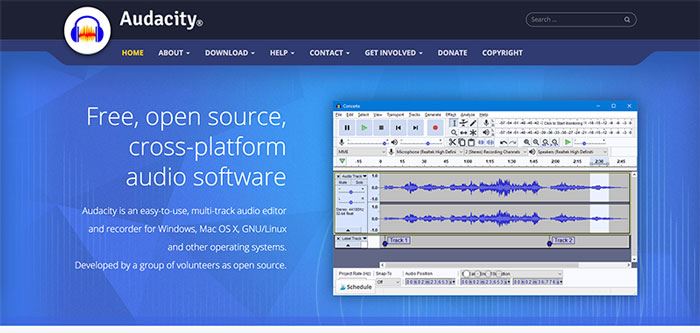
Audacity

We’ve been using Audacity for years. It is a free, open-source, cross-platform audio software. It is an easy-to-use, multi-track audio editor and recorder that works on both Windows and Mac.

CALENDAR SCHEDULING TOOLS
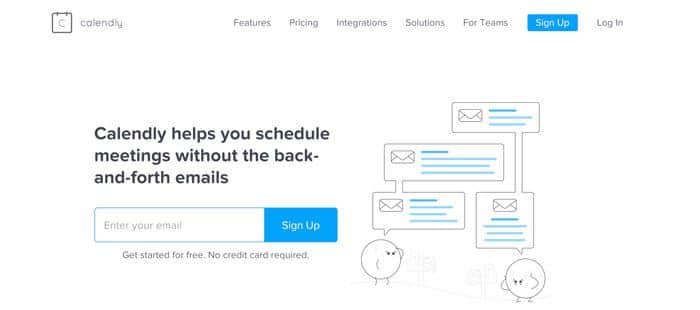
Calendly

Calendly

Calendly is an automated scheduling software that integrates with several popular calendars. You can send your personalized link to your clients so they can book calls with you during specific time slots. If you upgrade to the paid version you can integrate it with hundreds of other platforms and even collect payments.

Grab FREE ACCESS to 10 more tools and resources to help you easily transition to working at home.
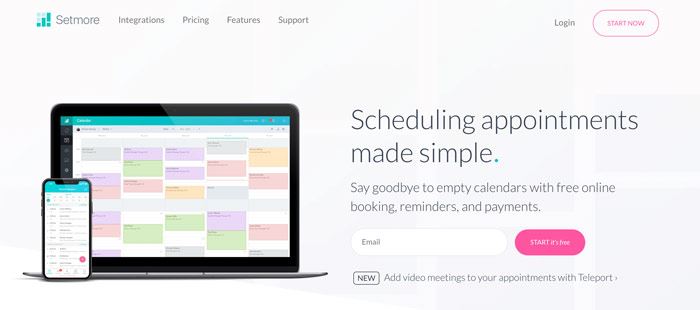
Setmore

Setmore

Setmore is another scheduling app that you can use to manage and book appointments with your clients. Their free version even allows you to collect payments through Square.

CLOUD STORAGE & FILE SHARING
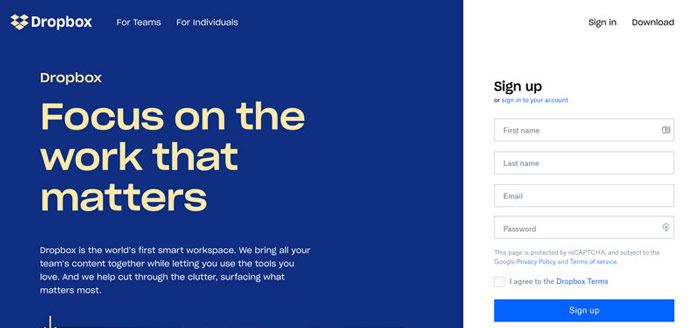
Dropbox

Dropbox

Dropbox is a file hosting service and we don’t think we could live without it. It allows you to store folders and files of all sizes and easily share them with your clients. They’ve introduced some new features over the years but we mainly just use it to store and share files.
Google Drive

Google Drive

Google Drive is similar to Dropbox in that it’s cloud storage that allows you to store, share and access files from any of your devices. Your first 15 GB of storage are free the last time we checked. We do prefer Dropbox over Google Drive, but they are both great options and personal preference.

COLLABORATION & COMMUNICATION
Boomerang for Gmail

Boomerang for Gmail

We love this extension for Gmail! It’s free and adds scheduled (delayed) sending which is a feature we miss from our Outlook days. It also allows you to set follow up reminders so you never forget to follow up to an important email.
Evernote

Evernote

Evernote is another app that we’ve been using for years on end. It allows you to take notes from anywhere, find stored information faster and share ideas with clients and your team. Best of all, it’s free!

Grab FREE ACCESS to 10 more tools and resources to help you easily transition to working at home.
Google Documents

Google Documents

We use Google Documents daily and love that we can edit documents at the same time as our entire team from our computer, tablet or phone.
FaceTime

FaceTime

If you own an iPhone, iPad or a Mac this is an easy, free way to connect with your clients via video or voice. You most likely already use it and don’t need to download any extra software.
 

Google Voice

Google Voice

If you live in the USA you can get a phone number for free and use Google Voice as your business line. It allows you to make calls through their app on your phone or on your computer. You can even send and receive texts with your Google Voice number.
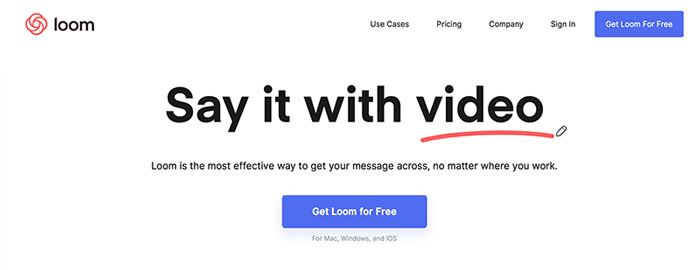
Loom

Loom Free Screen Recording

Loom is a free screen and video recording software that allows you to record directly from your browser or their desktop app. Loom is a great tool to use to send your clients quick explanation videos and tutorials. It saves a lot of time going back and forth through email.
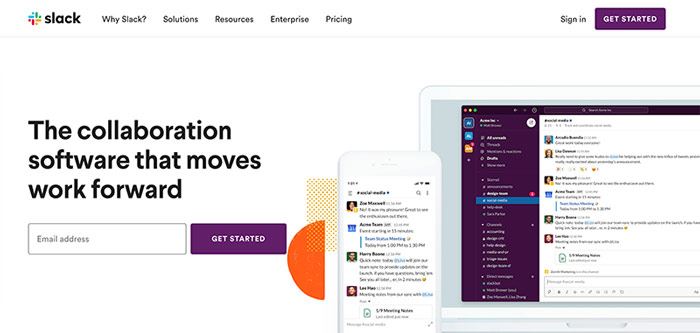
Slack

Slack

Slack is a popular collaboration platform where you can stay connected with your team and share files. There is a free version that should work for most and it has the ability to integrate with a variety of different apps.

Skype

Skype

Skype allows you to make free online calls, messaging and they offer affordable international calling to mobiles or landlines. You can even get a Skype phone number for an added fee so you can have a dedicated business phone number.

Grab FREE ACCESS to 10 more tools and resources to help you easily transition to working at home.
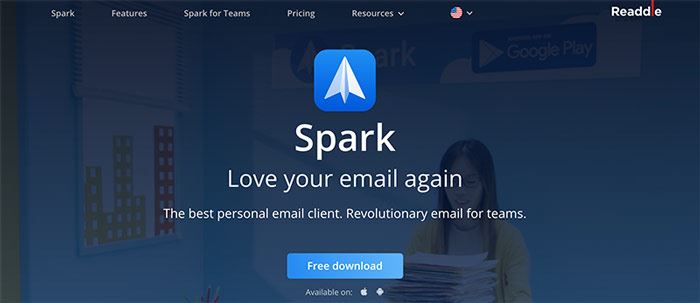
Spark Mail App

Spark Mail App

Virtual Assistants rave about the Spark Mail app as it keeps their inbox under control and best of all it’s free. It helps keep your inbox organized and clutter-free. You also have the ability to search, set reminders, schedule emails, communicate with your team and more.
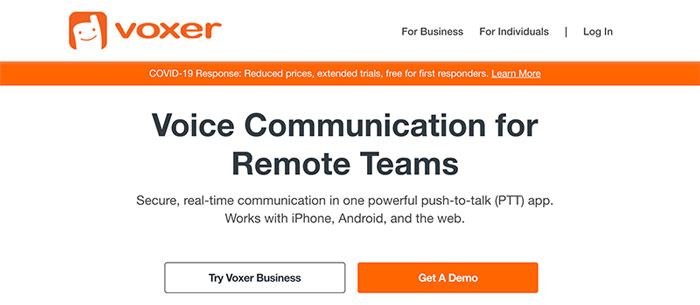
Voxer

Voxer

Voxer is a free app that we use daily with our team, it’s kind of like a walkie-talkie with a record feature. You speak into the app and it records you and instantly sends the message to the recipient. You can use it to send text, images and videos as well but we just use the voice feature to communicate clearly with our team and clients.
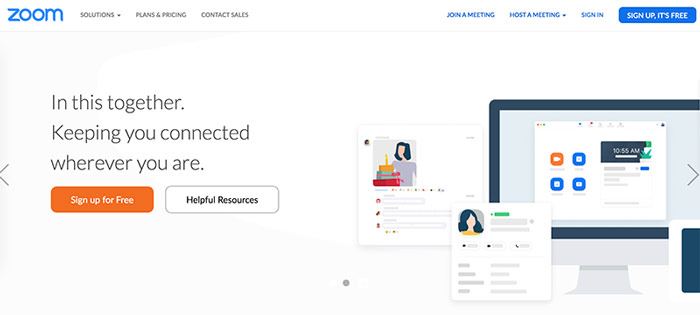
Zoom Meeting

Zoom Meeting

We love Zoom and do all our client meetings on it. It’s free to use and has a ton of features that will help make your meeting a breeze. You can go live on video, audio-only, chat, screen share, draw on the screen, share your smartphone screen and more. With the free account, you can have up to 100 participants and run a meeting for 40 minutes.

CONTRACT MANAGEMENT
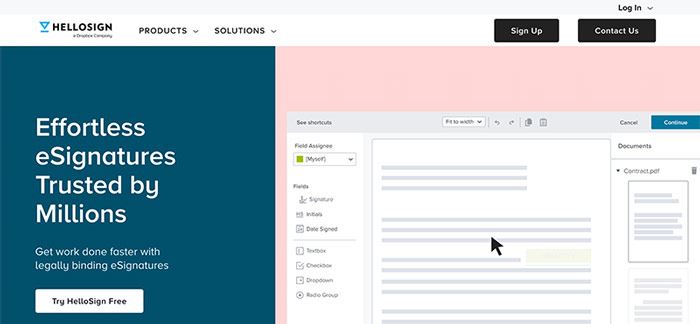
HelloSign

Hello Sign

HelloSign is a secure way to send contracts to your clients so that they can sign them online without the need to print it out, scan it and send it back to you. The free plan allows you to send 3 contracts a month which will be more than enough if you have long-term clients.

Tispr

Tipsr is an all-in-one management software that helps self-employed people manage their work more easily so they can get more done. You can track your time, send contracts, manage tasks and store files. They have a free forever plan that will work for most people starting a work from home business.

EMAIL MARKETING

MailChimp

MailChimp

MailChimp is an all-in-one marketing platform mainly used for email marketing. You can sign up to MailChimp for free and build your list up to 2,000 subscribers at no cost. It’s a great platform to use to start email addresses. As we always say, the money is in the list!

Grab FREE ACCESS to 10 more tools and resources to help you easily transition to working at home.
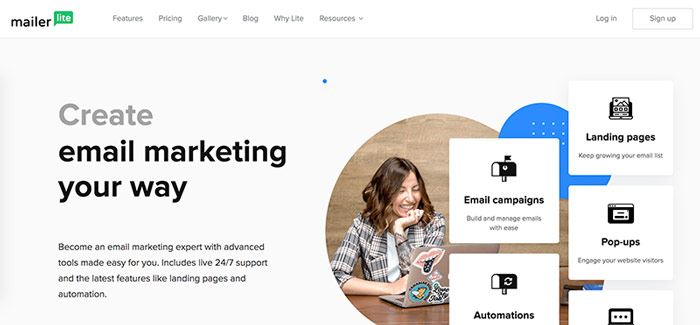
MailerLite

MailerLite

MailerLite is a simple email marketing platform that you can use to build your list. They allow you to have up to 1,000 subscribers before you have to start paying a fee.

FORMS & SURVEYS
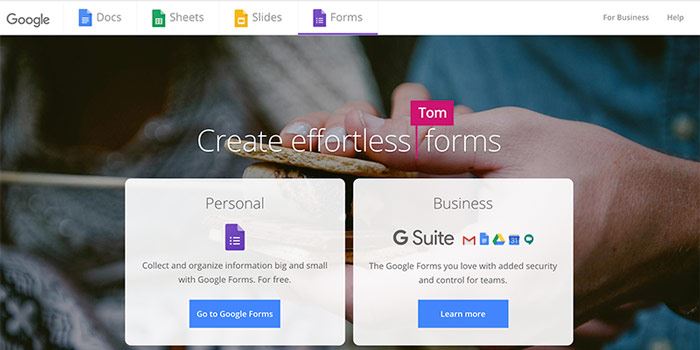
Google Forms

Google Forms

Google Forms is free and easy to use, they have a few templates that you can use or create your own form or survey from scratch.
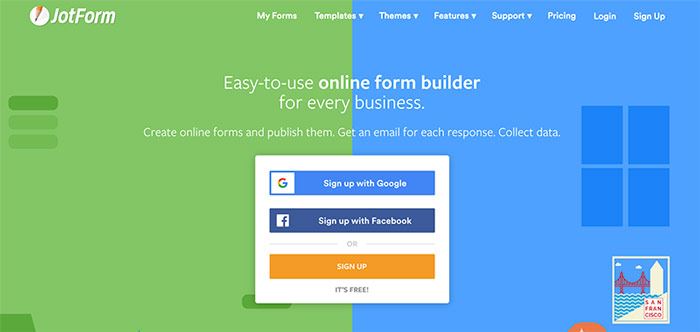
JotForm

Jotform

JotForm is what we typically use to create our forms. It’s easy to use and they offer a ton of different integrations to make collecting information easy. Their template library has a lot more to offer than Google Forms.
SurveyMonkey

SurveyMonkey

SurveyMonkey is a great online survey tool that allows you to get feedback and information from your clients and audience. The free version is limited but is still functional.
Wufoo Forms

Wufoo Forms

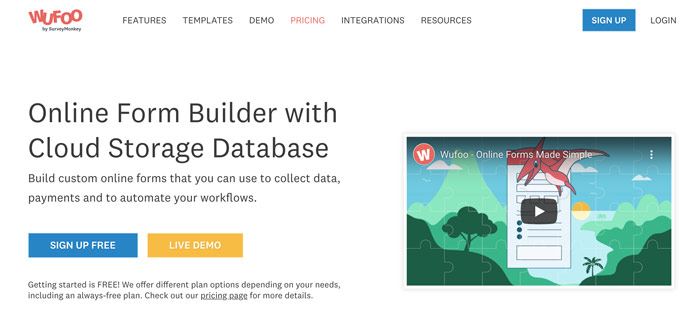
If you aren’t interested in either of the previous form builders mentioned, there’s also Wufoo Forms which allows you to create custom forms. Wufoo has a free plan for up to 5 forms and 100 responses.

GRAMMAR & WRITING ASSISTANT
Grammarly

Grammarly

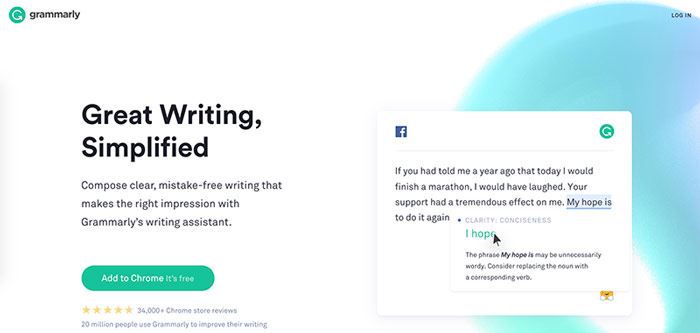
Grammarly is a free writing app that helps you eliminate errors. We aren’t sure how we survived without it! Go download it now and become a better writer instantly.

GRAPHIC DESIGN
Canva

Canva

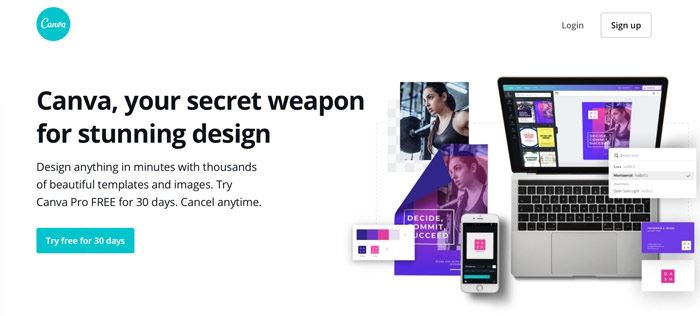
Canva is a free online drag-and-drop graphic design program. It’s easy to use and they have templates for everything from Facebook graphics to blog banners. 
Photopea

Photopea

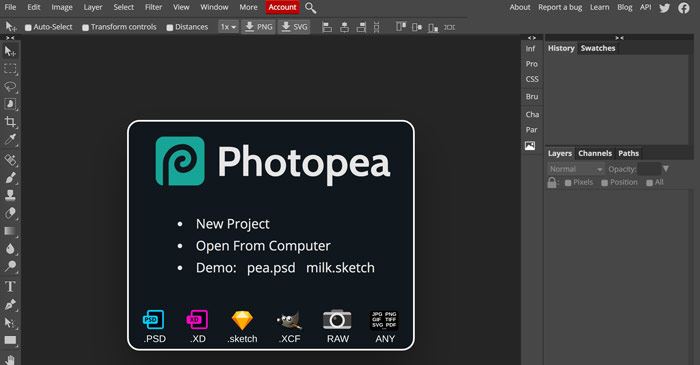
Photopea is an online photo editor that lets you edit photos, apply effects, filters, add text, crop or resize pictures. The interface looks a lot like Photoshop but its totally free!

Removebg

removebg

Removebg makes it easy to remove backgrounds from your photos. All you have to do is upload your image and it does all the work for you. It does a pretty good job too and often times we will use it over Photoshop.

Grab FREE ACCESS to 10 more tools and resources to help you easily transition to working at home.

PAYMENT PROCESSORS
PayPal

PayPal

It’s likely that have a PayPal account, and it’s still the most popular way to send and receive money for virtual assistants. It doesn’t cost anything to open an account but they do charge transaction fees. You can invoice your clients directly inside of PayPal so it makes it easy to receive money.
Stripe

Stripe
Stripe is an online credit card payment processing system. It is free to set up and like PayPal, they charge transaction fees. It’s available to use in several countries, you can look on their website to see if you can accept payments in your country. Stripe is our credit card processor of choice here at VAnetworking.
Square

Square

Square is another popular credit card processing app and you might have seen it at local businesses in your area. One of the main differences between Stripe and Square is that you can process payments online and in-person with Square. You can also set up their online booking system so your clients can schedule calls with you through your calendar. Square is only available in a few counties, you can see if it’s available in yours on their website.

PDF FORMATTING
PDFescape

PDFescape

PDFescape allows you to edit PDFs, create fillable forms and convert PDFs for free. If you are just starting out, this is a great tool as Adobe Acrobat Pro is a hefty line item in your budget. 

Smallpdf

Smallpdf

Smallpdf is an online software that allows you to edit and convert PDFs for free. It’s quick and easy to use.

NETWORKING

Meetup

Meetup

Meetup is a great place to find local networking groups and events. Try to find a few in your area to attend regularly, you’d be surprised by who you meet and might even gain a client or two.
VAnetworking’s Forum

Virtual Assistant Forum

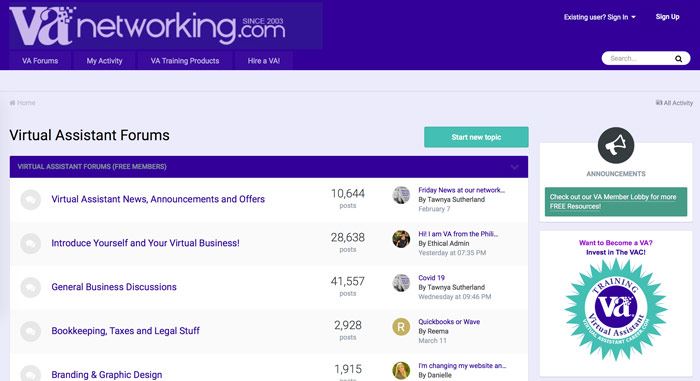
Our Virtual Assistant forum has been around since 2003 and is the largest one online today with members from all over the world. It’s free to join, so pop on over and say ‘Hi’ or ask us a question to do with your business so we can help you.

VAnetworking’s Virtual Assistant Facebook Group

This Facebook Group is for Virtual Assistants to socialize, learn, share and engage. Join us and post a question about anything to do with your VA business and we will find the answer for you!

OUTSOURCING
VAnetworking’s Job Board

Virtual Assistant Job Board

Looking to work with a Virtual Assistant and expand your team? Post your job to VAnetworking’s job board for free and find the perfect VA for your business.

PASSWORD MANAGEMENT
LastPass

LastPass

We can’t even remember life before LastPass. It has been a huge timesaver for our business. LastPass is a password manager that stores all your passwords in the cloud. You access them with your one master password. So you’ll only ever have to remember one password. It’s free to use and if you want to upgrade to a paid account (very affordable) you can share your passwords with your team.

REMOTE ACCESS
Teamviewer

Teamviewer

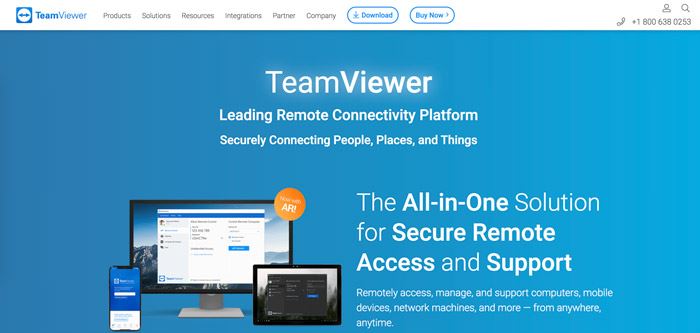
Teamviewer is a handy piece of software, it allows you to access computers remotely from anywhere. If your client is having a tech issue you can just log right into their computer and fix it for them.

Grab FREE ACCESS to 10 more tools and resources to help you easily transition to working at home.

SCREEN RECORDING

Loom

Loom Free Screen Recording

Loom is a free screen and video recording software that allows you to record directly from your browser or their desktop app. Loom is a great tool to use to send your clients quick explanation videos and tutorials. It saves a lot of time going back and forth through email.
Screencast-O-Matic

Screencast-O-Matic

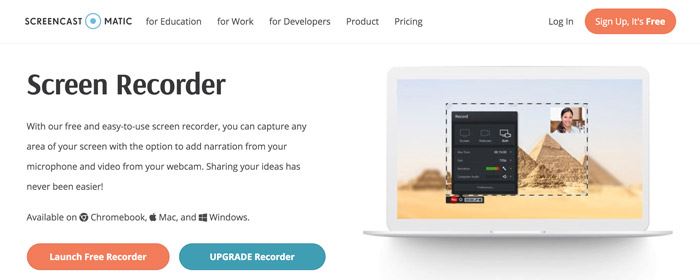
Screencast-O-Matic is a free screen recorder that you can use to capture any area of your screen with the option to add narration from your microphone and video from your webcam.

SOCIAL MEDIA SCHEDULING

Facebook Creator Studio or Publisher

You can schedule posts to your Facebook Business Page right inside of Facebook. Just go your ‘Publishing Tools’ on your page and you will see a spot to schedule them. You can also schedule posts in your Facebook Groups directly inside of your group.

Hootsuite

Hootsuite

Hootsuite is an online social media management program with both free and paid versions. You can use Hootsuite to post to multiple networks such as Facebook, Twitter, LinkedIn, Pinterest and Instagram. The free plan allows you to connect 3 social profiles and schedule 30 messages at a time. 
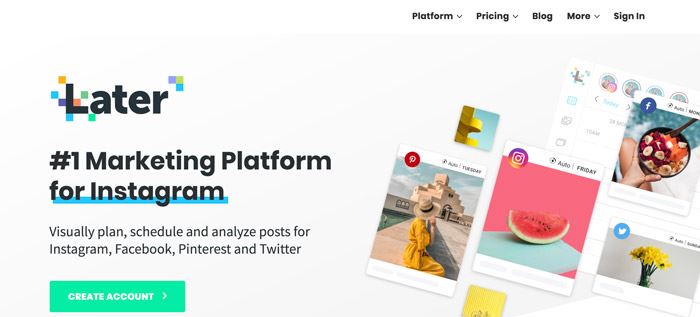
Later

Later

Later allows you to plan, schedule and analyze posts for Instagram, Facebook, Pinterest, and Twitter. The free version has its limitations but should work for Virtual Assistants.
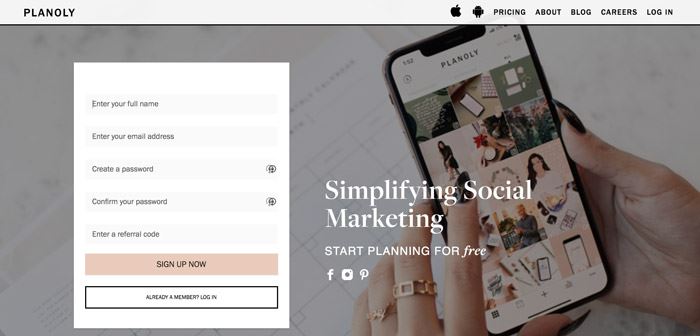
Planoly

Planoly

Planoly allows you to manage, plan and schedule your Instagram posts from both your computer and smartphone. It’s a great tool for Instagram management.

STOCK PHOTOGRAPHY & DESIGN ASSETS

Although we recommend purchasing all your stock photos, we’ve listed some free resources below. We purchase all our photos from DepositPhotos

123rf

123rf

Creative Market

Creative Market

Creative Market has over 3 million unique fonts, graphics, themes, photos, and templates designed by independent creators around the world. It isn’t a free site but they do give away 6 free designs assets a week. We recommend you sign up to their email list so you never miss a freebie.
DepositPhotos

DepositPhotos

DepositPhotos is a paid stock photos site and where we purchase all our photos. They send out free high-quality images each week so we added it to the list. Make sure to sign up for their emails so you get your free images each week.
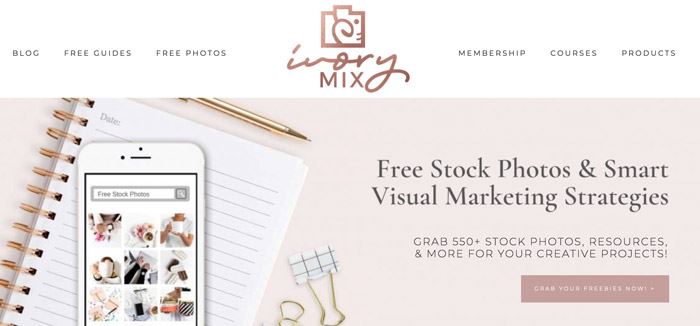
Ivory Mix

Ivory Mix

Ivory Mix has over 550+ free styled stock photos for you to download. We love how feminine their photos are. They have a paid membership as well if you like their style.

Pexels

Pexels

Grab FREE ACCESS to 10 more tools and resources to help you easily transition to working at home.
Picjumbo

Picjumbo

Pixabay

Pixabay

Unsplash

Unsplash

PROJECT MANAGEMENT

Choosing a project management system is all about personal preference, sign up to a few and see which one works best for you.

Asana

Asana

Asana is our top choice for project management and what we use here at VAnetworking. You can set up multiple workspaces and projects which makes managing multiple businesses a breeze. The free version will probably work just fine but they have some useful added features if you want to upgrade to a paid membership.

ClickUp

ClickUp

ClickUp is an all-in-one project management collaboration platform. We put it in the project management section as that is the feature we find VAs love the most.

Tispr

We’ve put Tispr in a few categories as it really is an all-in-one program. You can manage tasks, track your time, send contracts, and store files. They have a free forever plan that will work for most people starting a work from home business.

Grab FREE ACCESS to 10 more tools and resources to help you easily transition to working at home.

Trello

Trello

Trello is a visual project management tool that helps your organize your business. It’s a very popular one for VAs, check it out and see if it’s right for you.

TIME TRACKING

Google Spreadsheet

Spreadsheet for Time Tracking

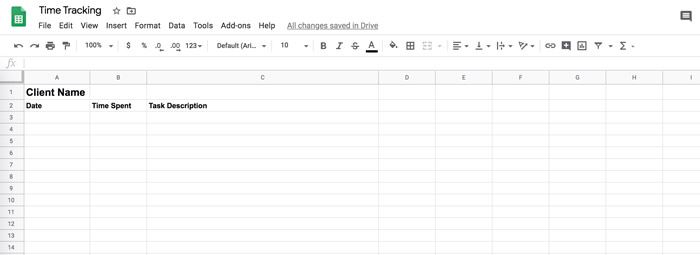
Using a spreadsheet to keep track of your time is an old fashioned way but it’s free and it works. Just make a few columns, date, time and task and fill it in as you go. Make a copy of this spreadsheet and start using it right away.

Tispr

Ok, we promise this is the last time we will mention Tispr. It is an all-in-one program where you can track your time, send contracts, manage tasks and store files. They have a free forever plan that will work for most people starting a work from home business.

Toggl

Toggl is a popular free time tracker with powerful reports that works across multiple devices.

Toggl

TIME ZONE CONVERTERS

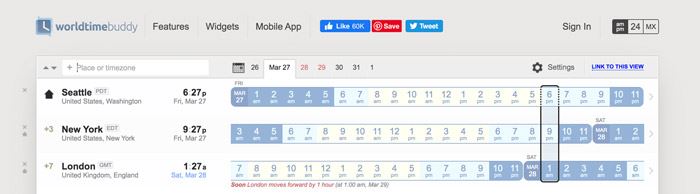
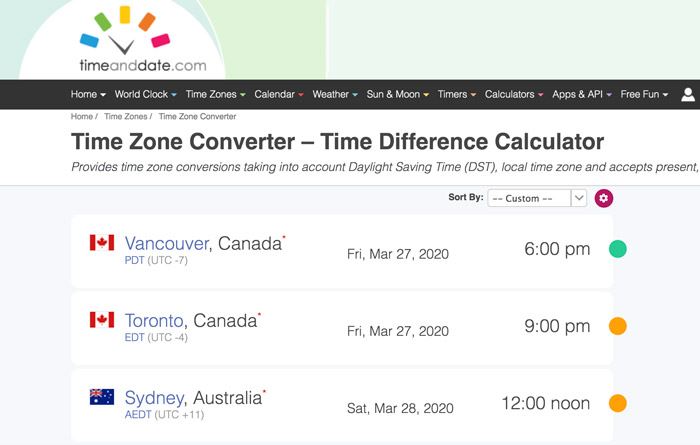
It’s fairly likely that you will have clients in time zones different than your own. It’s helpful to have a time zone converter so you can work more efficiently with your clients. Both of the time converters listed below work well and are free.

World Time Buddy

worldtimebuddy

This is an awesome tool to help share times of your meetings in the right time zone with the people you work with. Never miss another meeting because of time-zone discrepencies.

Time and Date

timeanddate converter

Another great free website to help you figure out the time and date no matter where you live. It even offers printable PDF Calendars if you ever require one for whatever business reason.

VIDEO CONFERENCING, MEETINGS & WEBINARS

FaceTime

FaceTime

If you own an iPhone, iPad or a Mac this is an easy, free way to connect with your clients via video or voice. You most likely already use it and don’t need to download any extra software.

FreeConferenceCall

freeconferencecall

This free conference call platform has been around for years. It isn’t mentioned much ever since Zoom came out but it’s still a good option to explore.

Skype

Skype

Skype allows you to make free online calls, messaging and they offer affordable international calling to mobiles or landlines. You can even get a Skype phone number for an added fee so you can have a dedicated business phone number.

Grab FREE ACCESS to 10 more tools and resources to help you easily transition to working at home.

Zoom Meeting

Zoom Meeting

We love Zoom and use it for all our client meetings and webinars. It’s free to use (although we have the paid version) and has a ton of features that will help make your next meeting or webinar a breeze. You can go live on video, audio-only, chat, screen share, draw on the screen, share your smartphone screen and more. With the free account, you can have up to 100 participants and run a meeting for 40 minutes.


What free tools can you not live without for your virtual assistant business?  Share it with us in the comments below. 

Virtual Assistant Salary – The Definitive Guide

Virtual Assistant Salary – The Definitive Guide

‘It is projected that in 2027, 86.5 million people will be freelancing in the United States and will make up 50.9 percent of the total U.S. workforce.’

Source: Statista

The same source also reports:

‘About 32 percent of U.S. freelancers stated that the percentage of freelancing work that they obtained online had increased a lot in the previous year’.

Online employment is not something in the future. It’s here, right now, and many of us have wholeheartedly embraced it.

How about YOU? Have you been thinking of pursuing an online career recently?

If you haven’t, you might be missing out on more than you realize.

And if you have, but aren’t sure where and how to start, you’ve come to the right place.

This is NOT a guide on how to make easy money, but instead, it’s an invaluable resource on how to build a great career!

Work Shifts from Full-time to Free Agent Employment

‘Traditional employment will no longer be the norm, replaced by contingent workers such as freelancers and part-time workers. The long-term trend of hiring contingent workers will continue to accelerate with more than 80 percent of large corporations planning to substantially increase their use of a flexible workforce.

Source: The Intuit 2020 Report

Landing a work from home job as a Virtual Assistant (VA) is a perfect way to break into the thriving online work industry.

According to a report quoted by Virtalent‘the VA industry will grow at a CAGR of 4.4% between 2018 and 2022’.

So, if you haven’t considered this option before, NOW is the right time and here’s why.

As the benefits of becoming a Virtual Assistant, as well as the benefits of online jobs in general, are numerous and far outweigh any minor drawbacks, there’s no reason why you shouldn’t consider giving it a try.

To name just a few major benefits:

  • You can work from home, a cafe, a park, a mountain or anywhere else you like as long as there’s an Internet connection.
  • You set your own rates and your own flexible schedule.
  • You’re free to choose who you want to work with.
  • you don’t waste time commuting to the office, and you can enjoy the privilege of spending that extra quality time with your dearest ones.
  • You save money as you don’t have to pay for transportation or spend cash on business clothes and meals in restaurants.

In short, you are your own boss and work on your own terms.


Do you doubt that working as a Virtual Assistant is a viable career?

Let us reassure you and help you to start growing your business and income so that a much wished for family trip to Disneyland isn’t just a dream but instead becomes a reality.

And why stop at just Disneyland?!

Enable yourself to afford things such as the best possible education for your children and avoid future headaches when paying for things such as insurance, household and grocery bills that have a tendency to add up every month.

This in-depth definitive guide will help you to understand a variety of Virtual Assistant job roles, salary ranges and will teach you how to get started as a home-based VA . . . Table of Contents:

How Much Does a Virtual Assistant Make?

How Much Does a Virtual Assistant Make?

How Much Does a Virtual Assistant Make?

Virtual Assistants worldwide can make anywhere between us$3 and over $60 per hour.

Some realistic estimates of their monthly income sit between $500 and $800 for general Virtual Assistants, while VAs with specialist skills such as graphic design, copywriting, SEO, web development and other such specialties generate even more money, typically between $800 and $1,500 (sometimes even more).

Yet Virtual Assistants’ pay rates vary greatly throughout the world.

ZipRecruiter, one of the largest recruiting US companies, shows work-from-home Virtual Assistant salary ranges as:

  • per hour (from as low as $6.97 to as high as $59.86)
  • per week (from as low as $279 to as high as $2,394)
  • per month (from as low as $1,208 to as high as $10,375)
  • per year (from as low as $14,500 to as high as $124,500).

The table below represents the current salary ranges for the majority of home-based Virtual Assistant positions across the USA.

How Much Does a Virtual Assistant Make?
Salary rangeHourly RatesWeekly EarningsMonthly EarningsAnnual Salary
Low-end income$13$538$2,333$28,000
Average income$28$1,100$4,767$57,203
High-end income$35$1,404$6,083$73,000

Similarly, according to Indeed, Virtual Assistant salaries in the USA range from $7.25 to $38.40, averaging at $16.15 per hour.

Read on to find out what influences Virtual Assistant and other online workers’ earnings.

The amount of money you can make as a VA varies predominantly based on your:

  • skill set,
  • experience,
  • region,
  • the type of business you work for
  • and other factors.

Let’s consider each of these key factors now.

How the Level of Expertise Affects a Virtual Assistant’s Income

Skilled Virtual Assistants receive higher wages when compared to general VAs, who haven’t mastered specific skill-sets.

For instance, if you work as a Virtual Assistant for an online store and possess some store administration or copywriting skills, you’ll be able to demand higher rates than a general VA because you’ll know how to:

  • write compelling product descriptions,
  • update product details on the store website,
  • create website banners and product promotions,
  • select and embed high-quality images in the store web pages and much more.

That’s why it’s critical to the success of every Virtual Assistant’s career to be committed to lifelong learning and to strive for excellence in mastering new skills.

A high level of competence, when paired with work experience, makes a winning combination. We’ll show you how.

Working in co-working space
Image Source: Freepik by Yanalya

How Work Experience Influences a Virtual Assistant’s Earnings

The difference between a beginner and expert-level Virtual Assistant is significant both in terms of employers’ expectations and thus the amount of money they’re willing to pay.

It’s logical that the more professional experience you have as a VA, the higher your rates get.

Let’s consider the three levels of experience, their effect on a VA’s earning power and the scope of duties expected by an employer.

Beginner Virtual Assistants with a Basic Skill Set Get the Lowest Pay Rate

Newbies with little or no relevant professional experience usually fall into this category.

Due to a lack of proper experience and expertise, these workers are in the lowest pay bracket and their careers progress slowly.

Entry-level VAs and other online workers typically demonstrate routine skills and behaviors such as those outlined below.

Skills of a Beginner VA
Common Behaviours of a Beginner VA
Proper use of basic online tools, which they learnt at school (e.g. Gmail, MS Word or Google Docs)Usually lack a regular daily routine and see online work as an opportunity to work in pyjamas, while watching a basketball game on TV.
The ability to do basic research and collect data from the Internet, but without necessary knowledge on how to assess the data they collected.Enjoy working without any supervision.
Elementary level of grammar and written English skills and the lack of confidence when speaking English.Have NO dedicated workspace. Instead, normally work sitting at the kitchen table or on a couch in front of the TV in the living room while the whole family is around.
The ability to copy/paste or transcribe audio content into blog posts and other website pages, but without the ability to spot and correct any critical layout and formatting issues.Cannot self-assess their performance and comprehend employer's goals including the bigger picture, which typically results in being dismissed from jobs without them figuring out the reasons.

If you’re a Beginner Virtual Assistant and want to make headway in your online career, we highly recommend checking out this course; 7 Habits for Online Success. You’ll learn which behaviors and habits will bring about online employment success.

Experienced Virtual Assistants with Intermediate Skills Receive an Average Income

These VAs have either a few years of relevant online work experience, or they have undergone online job training. They demonstrate a thorough understanding of positive online work habits and are committed to their online career.

Experienced VAs have typically acquired the skills and behaviors listed below.

Skills of an Experienced VA
Common Behaviours of an Experienced VA
Higher ability to use common online work tools such as MS Office Suite or Google Drive (e.g. can use conditional formatting in Google Sheets to filter data).Very likely to have a regular routine and dedicated workspace which is separated from the family environment.
Advanced written English skills which enable them to create text with NO assistance from native speakers.Ready to invest earnings in high-quality work tools and a better Internet connection because they pursue long-term online work opportunities.
Have a thorough understanding of exemplary document layout and formatting, which they use to enhance communication.Possess the ability to work independently, set short-term and long-term goals and measure their own productivity.
Can do in-depth research, collect data from the web and provide low-level analysis with the ability to spot patterns in the data. Still, may not be able to implement any strategic changes.Take responsibility and initiative without having any fear of failure because they observe it as a valuable learning opportunity.

Experienced VAs have also perfected the behaviors and habits fundamental to the success of every serious online worker.

What’s more, experienced Virtual Assistants strive for specializations such as:

  • customer service,
  • copywriting,
  • design,
  • store administration,
  • social media marketing and other valuable skills

in order to boost their income and secure a stable and lucrative online career.

Now stay with us because, in the following subsections, we’re going to show you how mastering particular expert skills can raise any VA’s income above the average.

Expert Virtual Assistants with Advanced Skills Earn the Highest Salary

Expert VAs usually have considerable professional experience and regularly do extensive job-related training to keep abreast of the rapidly growing and ever-changing online work industry.

They are dedicated to developing their skill set so that they can increase their earning capacity.

The typical skills and behaviors that expert VAs display include:

Skills of an Expert VA
Common Behaviours of an Expert VA
Commonly have a specialisation in at least one related area such as web development, graphic design, copywritingadvertising or social media marketing etc. which enables them to create monetary value for a company with their advanced skill set.They are reliable, work efficiently due to their fixed, committed daily work routine and possess the ability to successfully deal with distractions.
Demonstrate outstanding written and spoken English skills with equally exceptional accuracy and fluency so that they can understand complex instructions and perform a wider range of VA tasks.Have a highly positive attitude to online work and a dedicated home office. Alternatively, share an office with friends or work from a co-working space.
Versed users of various helpful tools and apps which enhance online workers’ productivity and make them more competitive.

These individuals have adopted good work routines and have learnt how to communicate clearly with their employer as well as other remote team members. This makes them dependable and trustworthy employees.

These expert skills and traits result in a long-term, secure career with well-paying and reputable online companies.

Not only will employers treat an expert Virtual Assistant with respect, but they’ll also provide them with the highest hourly rates, frequent pay increases, and bonuses.

Now that you know what defines each level of a VA’s expertise and experience, it’s easier to figure out where you’d fit, isn’t it?

Knowing what sort of skills and behavior you need to develop will help you hit your target salary and become successful in the long run.

How Regional Differences Impact Virtual Assistants’ Pay Rates

Salary Negotiation Cheatsheet Download your free cheatsheet of Salary Negotiation

There are huge regional pay gaps in the world of online work, which are dictated by local economies.

On no account does it mean that Virtual Assistants located in the USA are worth more than those who live in the Philippines or Kenya, for example. Neither does it imply that VAs from Indonesia are worth less than those located in the UK, Europe or the rest of the world.

Different regional pay rates for the same type of job simply reflect the differences in the cost of living across different worldwide economies.

The table below shows how much Virtual Assistants get paid in different regions according to their level of competence.

Region-Based Virtual Assistant Pay Rates
General Virtual AssistantVA with copywriting skillsVA with design skillsVA with customer service skillsVA with store administration skills
Average Regional VA Pay Rates
Western Europe$21$34$38$21$34
South East Asia$16$27$25$16$21
Africa$14$32$24$16$19
Western Europe VA Pay Rates
Beginner$11 - $20$10 - $20$20 - $35$10 - $18$12 - $20
Intermediate$25 - $30$25 - $45$40 - $50$20 - $30$25 - $35
Expert$35 - $50$50 - $70$55 - $70$35 - $45$42 - $65
South East Asia VA Pay Rates
Beginner$5 - $12$6 - $15$15 - $25$10 - $15$10 - $15
Intermediate$20 - $30$20 - $31$30 - $40$15 - $20$18 - $25
Expert$35 - $45$40 - $65$40 - $60$25 - $30$25 - $30
Africa VA Pay Rates
Beginner$5 - $12$6 - $15$10 - $15$10 - $12$10 - $15
Intermediate$15 - $20$25 - $35$20 - $30$15 - $20$20 - $25
Expert$25 - $35$40 - $50$35 - $40$25 - $30$30 - $45

Sources: PayscaleToptenreviewsUpworkPayscale CopywriterPayscale Virtual Assistant,  EcommercefuelRoberthalfWebpagefx (US based)KopywritingkoursePayscale Graphic DesignerGlassdoorPayscale Ecommerce ManagerPracticalecommerceSimplyhired

Virtual Assistants from developing countries typically charge less for their services when compared to those from first world countries.

Local medical insurance, overhead expenses, taxes and the cost of self-employment greatly affect these rates.

world map salary chart  Image Source: datatopics.worldbank.org

How Your VA Earnings Depend On the Business You Work For

This is not a matter of how much a particular employer is willing to pay, but how profitable their business is.

For example, an established eCommerce business might pay a competent Virtual Assistant more than a startup whose funds might be somewhat limited.

Similarly, a VA can earn more if they’reworking for a company which sells well-known software products, compared to another VA, with the same skills, who works for individuals selling their arts and crafts via Etsy or eBay.

Also, a VA possessing the necessary skills to work in a social media marketing agency or as an SEO specialist is more likely to generate higher income than the one employed at companies which deal with data entry or voice-over services, or as a VA who helps a photographer run and update their website.

Your pay revolves around how much unique value you can provide to an employer in addition to the business’ size and success.

Getting the point?

Apart from those listed above, other factors such as the complexity of tasks, work requirements (full-time vs. part-time) or previous successes (if any) can influence VA compensation.

However, there are also factors that do NOT affect how much a Virtual Assistant can make. For instance, and surprisingly, tertiary education doesn’t seem to matter that much.

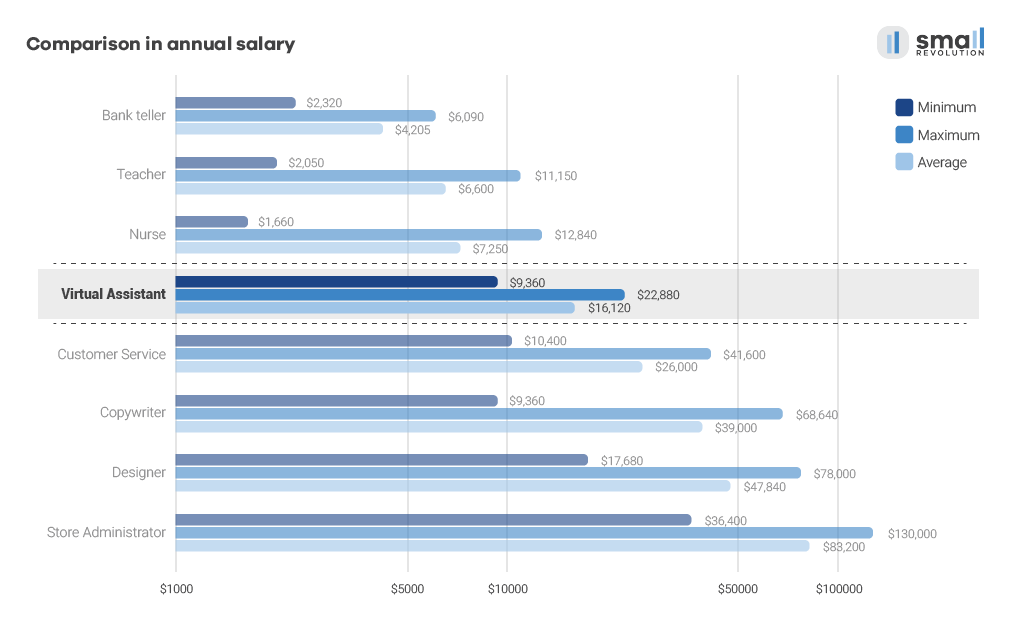
How Does a Virtual Assistant’s Salary Compare to Other Common Offline and Online Jobs?

Online or offline workers; have you ever wondered who earns more?

Read on to find out the typical salary rates for common offline professions compared with the earning power of online employees working as Virtual Assistants and other related online workers with different skill sets.

Take a close look at the graph below:

Comparison annual salary chart  Click the image to magnify

The first three roles represent regular offline jobs you can do anywhere regardless of your location:

  • bank teller,
  • teacher and
  • nurse.

The other listed positions are typical online jobs that occur in the fast-growing online work industry.

When it comes to offline jobs, highly skilled nurses obviously earn the most.

However, Virtual Assistants can earn more despite working fewer hours than nurses.

So, how does YOUR salary compare to a typical online worker’s income?

Would you earn more as a Virtual Assistant?

Working as a Virtual Assistant can unquestionably ensure your future financial security, especially if you keep sharpening your skills and gaining new knowledge.

And even with a high income, the other perks of online employment, such as flexibility and working from home,  should not be underestimated.

Sources:

Australia: Salaries for ProfessionalsPayscale AustraliaSalary by OccupationAverage SalariesMinimum Wages Pay GuidesNursing Wages Salaries & Pay Rates

Kenya: Average Wage EarningsAverage Salary NairobiMonthly Salaries for ProfessionalsSalary ExplorerBest Paying Career Guide

New Zealand: Salaries in NZWho Earns WhatTrade MeSalaries and Wages in NZSeek NZ

Philippines: Occupational Wages SurveyPopular Job Pay RatesJob IndexAverage Salary SurveyWorkers Wages and SalarySalary Reports

Serbia: Average SalaryAverage WagesBelgrade Salaries

United States of America: US Average Salaries and ExpendituresOccupational and Employment Wage EstimatesEntry Level Job SalariesUS Wages and SalariesNurse Salary by StateHighest Paying States for Registered NursesAverage Salary in US SurveyWeekly Earnings of Wage and Salary WorkersUSA Jobs SalariesUSA Jobs

United Kingdom: Nurse salaries in UKAverage Registered Nurse SalaryBest Paid UK JobsUK Employee EarningsAverage Salary in LondonIncome in UK

What Are Common Virtual Assistant Rates and Job Salary Ranges?

Virtual Assistants may be engaged on a part-time or full-time basis and often get paid by the hour, week, month or per project, depending upon their employer.

Here’s a brief overview of Virtual Assistant pay rates, per hour and per year, ranging from the lowest to the highest possible salaries according to the skill set levels required for particular jobs.

Overview of Common Virtual Assistant Rates and Salary Ranges
Types of Virtual Assistant JobsVirtual Assistant Rates per HourSpecific Job Salary Ranges per Year
General VA$3 to $15$6,240 to $31,200
VA with Copywriting Skills$3 to $45$6,240 to $93,600
VA with Customer Service Skills$4 to $25$8,320 to $52,000
VA with Store Administration Skills$10 to $70$20,800 to $145,600
VA with Graphic Design Skills$7 to $45$14,560 to $93,600

Remember when we mentioned how VAs can significantly increase their income when they perfect in-demand skills?

Now you’ll see the exact numbers representing average Virtual Assistant pay rates, per hour and annual job salary ranges, categorized by their experience and competence levels.

The data summarized in the following easy-to-understand tables reveal how much common Virtual Assistant roles may expect to receive across the globe (in USD) whether they’re beginners, without any specialist skills, as well as more experienced and even expert employees.

Let’s dive in.

General Virtual Assistant Rates

Would you like to break into online work but have no specialist skills?

Then, it’s best to start as a general Virtual Assistant. Over time you can learn a wide array of skills by working in various areas of a business thus advancing your career and ensuring your income continues to grow.

Average Rates of General Virtual Assistants
Hourly RateAverage RateYearly SalaryAverage Salary
Beginner$3 - $6$4.50$6,240 - $12,480$9,360
Experienced$7 - $15$11$14,560 - $31,200$22,880
Expert$7 - $15$11$14,560 - $31,200$22,880

Now that you’ve seen how much you can earn as a general VA, take a look at the following subsections to find out how to boost your earnings by honing particular skills.

Rates of Virtual Assistants with Copywriting Skills

A junior Virtual Assistant with essential copywriting skills is expected to understand how to write decent product descriptions and standard blog articles.

Similarly, an expert VA with copywriting knowledge is expected to write product descriptions that convert, as well the ability as to create lead magnets which grab the attention of target audiences and urge them to become customers.

Average Rates of Virtual Assistants with Copy-writing Skills
Hourly RateAverage RateYearly SalaryAverage Salary
Beginner$3 - $6$4.35$6,240 - $12,480$9,360
Experienced$7 - $20$13.50$14,560 - $41,000$28,080
Expert$21 - $45$33$31,200 - $52,000$68,640

Rates of Virtual Assistants with Customer Service Skills

Even if you’re an entry-level Virtual Assistant who works as a Customer Service Representative, exceptional written English and problem-solving skills are a must-have for success.

Average Rates of Virtual Assistants with Customer Service Skills
Hourly RateAverage RateYearly SalaryAverage Salary
Beginner$4 - $6$5$8,320 - $12,480$10,400
Experienced$7 - $12$9.50$14,560 - $24,960$19,760
Expert$15 - $25$20$31,200 - $52,000$41,600

Rates of Virtual Assistants with Store Administration Skills

As a Virtual Assistant with basic store administration skills, you’re supposed to know how to update product information, process customer orders and maintain inventory numbers.

At an expert level, you are expected to successfully build and run campaigns that will increase gross revenue and to skillfully manage holiday buying frenzies.

Obviously, the responsibilities between a VA with beginner and expert level store administration skills differ greatly, as will their pay rates.

Average Rates of Virtual Assistants with Store Administration Skills
Hourly RateAverage RateYearly SalaryAverage Salary
Beginner$10 - $25$17.50$20,800 - $52,000$36,400
Experienced$30 - $45$37.50$62,400 - $93,600$78,000
Expert$55 - $70$62.50$114,400 - $145,600$130,000

Rates of Virtual Assistants with Graphic Design Skills

If you aspire to become a more easily employable Virtual Assistant, acquiring some graphic design skills is a good idea.

To become competitive in the online market as a VA with graphic design skills, you’ll need more than just the basic use of Photoshop or Illustrator.

You’ll be expected to demonstrate a full understanding of typography, colors, and balance so that you can intelligently combine all your knowledge to create strategies for increasing your employer’s profit.

Average Rates of Virtual Assistants with Graphic Design Skills
Hourly RateAverage RateYearly SalaryAverage Salary
Beginner$7 - $10$8.50$14,560 - $20,800$17,680
Experienced$12 - $25$18.50$24,960 - $52,000$38,480
Expert$30 - $45$37.50$62,400 - $93,600$78,000

Key takeaway:

Honing in-demand specialist skills for online work is bound to secure you a higher and more stable income.

Happy for successful project  
Image Source: Freepik by Yanalya

What Does a Virtual Assistant Do?

In the subsections to follow, you’ll find out the daily tasks that are commonplace for each Virtual Assistant job role and discover which match your skills and personality.

For instance, do you like focusing on one project at a time and diving into detail? Or, do you prefer to work on a wide range of tasks that are constantly changing?

Let’s consider the usual responsibilities and personality traits that are best suited to common Virtual Assistant job roles typically found in the online industry.

Responsibilities of General Virtual Assistants

Personality traits: administrative, detail-oriented, process-driven.

If your characteristics match the above, you will be best suited to working as a General Virtual Assistant.

Among a myriad of general VA duties, which are doable from anywhere in the world, you will handle a wide variety of routine tasks, such as the administrative, technical and scheduling aspects for the smooth operation of a web-based business.

A Detailed Breakdown of General Virtual Assistant Tasks
Administrative and Blogging Tasks
- Prepare online meeting minutes
- Conduct online research
- Manage blog publishing schedules
- Moderate blog comments
- Add tags and images to blog posts
- Basic lead generation work
- Format simple eBooks
- Transcribe videos and audio files
- Send client invoices
- Perform basic bookkeeping (MYOB, XERO & Quickbooks)
- Train and onboard new Virtual Staff
- Track deliverables
- Manage various short-term and long-term projects
Email and Schedule Management Tasks
- Filter emails to manage spam
- Reply to customer service emails or tickets
- Provide support via live chat
- Schedule appointments
- Manage the calendar
- Build a CRM database
- Manipulate data on spreadsheets
- Do data entry using Microsoft Word or Google Docs
- Organise cloud storage on Dropbox and Google Drive
- Store files and other organisation tasks
- Convert, split and merge PDF files
- Prepare keynote presentations using PowerPoint
- Provide reminder services
Social Media Management Tasks
- Create Facebook groups or fan pages
- Schedule and post Facebook insights
- Promote Facebook pages
- Collate and interpret Facebook insights
- Create the company Twitter account(s)
- Manage and increase Twitter following
- Schedule tweets, track mentions and hashtags
- Create and manage YouTube account
- Moderate YouTube comments
- Upload videos to YouTube
- Upload videos on other social media platforms
- Create and manage LinkedIn account
- Create pinnable images on Pinterest
- Schedule and track pins
- Respond to enquiries and messages on all channels and profiles
Email Marketing Tasks
- Create and schedule broadcast emails to promote content
- Edit follow-up emails and auto-responders
- Create lists in Email Marketing Software
- Add and remove subscribers from lists
- Create email Newsletters
- Proofread emails

Responsibilities of Virtual Assistants with Copywriting Skills

Personality traits: imaginative, storyteller, people-person.

All the content you receive in your inbox? Well, as a VA with copywriting skills and duties, you’ll be writing that and much more.

Your role in writing marketing materials like website content, emails, brochures, catalogs, etc. will be critical.

Let’s say you get a job in an online store, for instance.

In that case, your writing will be used to promote the sale of goods and services offered by that online store.

In simple terms, you will be responsible for informing the general public about all the good aspects of a particular product or service.

A Detailed Breakdown of the Tasks of VAs with Copywriting Skills

One of your main duties will be to create a clear and compelling copy with a distinct brand voice.

This includes writing:
- Various types of blog articles
- Content on the company website
- Landing and sales pages
- Internet ads: LinkedIn, Twitter, Google and PPC Ads
- Emails
- eBooks
- Social media posts
- Whitepapers
- Case studies
- Product reviews
- Press releases
- Newsletters
- Bios
- Sales presentations and slide decks

Other Types of Copywriting Tasks for VAs
- Interpret and understand copywriting briefs
- Edit and proofread copy
- Conduct high-quality research and interviews
- Use SEO principles to maximize copy’s reach
- Collaborate with graphic and web designers, PR and other professionals in marketing projects such as creating email campaigns, landing pages etc.
- Source for high-quality images and other content

Responsibilities of Virtual Assistants with Graphic Design Skills

Personality traits: creative, ordered, researcher.

Virtual assistants with graphic design skills need to employ their skill set to provide the online business they work for with an impressive visual brand.

They use their design and proper computer software skills to produce high impact visual concepts, which are aimed at communicating ideas that inspire, inform and captivate consumers on the Internet.

A Detailed Breakdown of the Tasks of VAs with Graphic Design Skills
- Advise clients on effective strategies to reach a target audience
- Determine the message the design should portray
- Select relevant colours, images, text style and layout
- Design websites, create mock-ups
- Design landing, sales, opt-in and other similar pages
- Design logos, banners, icons, eBook covers and headers
- Design Infographics and other types of visuals with the content which is provided to them
- Review designs for errors before publishing
- Perform basic video editing tasks - splicing intros and outros with raw footage

Responsibilities of Virtual Assistants with Store Administration Skills

Personality traits: technically minded, organized, thorough, engaging

As a Virtual Assistant with specific store administration skills, your main duty will be to ensure that all the items being sold in an online store are regularly updated, have the correct sizes, prices, and the like.

You may also be required to list store policies and help with configuring online shopping carts.

A Detailed Breakdown of the Tasks of VAs with Store Administration Skills
General Tasks
- Generate and update website content
- Plan, define and implement necessary website changes
- Monitor and improve the website's key performance indicators
- Maintain and update the store’s online marketing plan
- Work with agencies to build traffic and sales
Marketing Tasks
- Understand and develop store website traffic sources
- Create performance analysis reports of online marketing campaigns and promotions
- Explore new ways of generating additional online store traffic and orders
- Implement and support various marketing campaigns
Other Store Admin Tasks
- Update the online store's product information, content, artwork etc.
- Develop strategies on improving website sales, conversions and customer engagement
- Examine, deploy and record functional store projects and improvements
- Create website's displays e.g. banners, images, promotions
- Investigate and report any operational issues
- Collaborate with the internal and external support team to ensure flawless daily management of the website
- Manage configuration parameters e.g. payment options, stock management

Responsibilities of Virtual Assistants with Customer Service Skills

Personality traits: friendly, punctual, reliable, problem-solving.

As a VA with customer service skills, you will be interacting directly (online and possibly on the phone) with customers on behalf of the company you work for.

For instance, you’ll be required to provide information to customers regarding online merchandise, or service orders, if you’re employed in an online store.

This job role also involves attending to customers’ questions, complaints and comments, taking orders and processing product returns amongst many other customer service tasks.

A Detailed Breakdown of the Tasks of VAs with Customer Service Skills
- Identify and assess customers’ needs to achieve satisfaction
- Listen and respond to customers’ needs and concerns
- Establish sustainable relationships and trust with customers
- Provide customers with accurate and complete information on the company’s products, services etc.
- Research answers or solutions as needed
- Review and document customer accounts
- Records data on customer interactions
- Adhere to communication procedures and guidelines
- Take orders, determine charges, and oversee billing
- Generate sales leads
- Ensure to meet personal, customer service and team sales targets
- Follow up and resolve customer complaints
- Skillfully handle product returns
- Always tend to go an extra mile to engage customers
New career online job
Image Source: Freepik

Who Typically Works as a Virtual Assistant?

Online employment is currently experiencing massive growth around the globe.

That’s why an increasing number of many VAs are investing in learning highly sought-after skills and acquiring habits, which are bound to ensure their future stable employment and success in an online environment.

In short, the most rewarding jobs are reserved for the most skilled individuals who always strive for excellence.

Not surprisingly, Virtual Assistants with the most relevant skills are the ones who are paid the most as well as being the most employable.

In the face of rising job automation and a rapidly evolving online work industry, VAs, just like other online workers, cannot afford themselves a lack of proper expertise.

Let’s see who the role of a Virtual Assistant is best suited to, shall we?

Stay-at-Home Moms

Working moms and dads are a large sector in the online workforce. The ability to work from home is one of the online work advantages they find the most attractive.

Not only does working from home save on commute times but it also enables parents to be available for their children’s school activities.

Another benefit all parents appreciate is the ability to negotiate time-off when needed and organize flexible working hours during holiday periods.

Stay-at-home parents often accept a lower salary in exchange for the convenience of more easily managing their family duties.

This influx of stay-at-home mums and dads also explains why aspiring unskilled workers find it harder to get entry-level jobs.

Popular online job boards are getting overcrowded with people who have little or no adequate skills and who are competing for the same online positions.

To be a successful online worker in this group you need to undertake specialist skills training.

Career Switchers

People all over the planet are discovering that they can leverage their career and income by working in an offshore economy. Thus they opt to switch careers.

A typical example of this is English teachers from Eastern Europe, who have good copywriting skills, and are able to work for American employers as online Virtual Assistants.

The US dollar affords a more reliable exchange currency and they typically earn higher hourly rates from US employers than they could earn in their local economy. As a result, these people earn far more than a local salary would provide them.

There are other similar scenarios where you can work from one country and receive a higher income from another corner of the globe.

Sounding good to you?

Man smiling of the salary increase  
Image Source: Pixabay by Alyibel

How to Land High Paying Virtual Assistant Jobs?

Now that you’ve seen all the typical VA earning opportunities, it’s natural that you might start wondering how you can land a high-paying Virtual Assistant job so that you maximize your earning potential.

To help you learn how to earn more, we’ve summarized the essentials into actionable steps that will improve your chances of success in the online work industry.

At first sight, some would say it’s quite simple. Learn, improve your skills and you’ll earn more.

But, we all know, that it’s easier said than done, isn’t it?

Learn what? From who? And where?

It’s well-known that the Internet is saturated with free resources that claim they’ll make you an expert in any given field.

However, this freely available knowledge is a two-sided coin. The content which is free and available in different formats requires you to choose the best one for yourself.

BUT…

As those resources are scattered all over the place it’s very hard to choose a tried and tested, and reliable career learning path for yourself.

Furthermore, anybody can publish anything online, so it gets quite challenging to pick the right material to learn.

Do you have the time to check every source? What guarantees do you have that the authors are credible and know what they are teaching?

You need reliable training with clear outcomes, don’t you?

Here are some steps you can follow to learn and earn more.

Get Educated

This first step is vital to boosting your earning power. Enroll in the Small Revolution School to learn new skills and how to profit from an online career.

Dedicate Enough Time to Studying

Create a regular daily routine for learning activities by setting goals and reaching milestones. Learn how to deal with distractions easily with the help of our courses.

Get Certified

Prove your knowledge by gaining online work competency records and learning transcripts. This will help you stand out in a crowded and highly competitive marketplace.

Create An Outstanding Resume

Your resume also needs to make a strong impression on your prospective employer. Ensure it is updated and an exact match for the job role you’re seeking.

Choose Your Employer Carefully

Be wise – advertise to the right employer, not just any employer you come across. Create a profile on a credible online job board that is an exact match for your skill set and your first online job is more likely to be your dream job.

Build a Reliable Referral Network

Join a friendly, experienced and supportive community who can help you find legitimate Virtual Assistant jobs. You can ask for a referral to someone who is hiring.

Learn How to Negotiate a Salary Raise

salary negotiation cheatsheet thumbnail  Download FREE Salary Negotiation Cheatsheet

Let’s face it:

Negotiating for a salary raise can be intimidating. And most of all, there’s the anxiety of rejection which can quickly turn into a reality if you negotiate the wrong way. Don’t let this be you.

Want to know how?

Let us help you learn how to effectively negotiate a salary worthy of your skills with a few expert tips.

And guess what, your next salary negotiation (a.k.a. “the chat”), will be far more successful.

So, let’s check it out!

1. Speak Up

First and foremost, you must speak up. Make no mistake about it. And here’s why:

“You may have considered changing your rates in the past, but for most of us, conversations about money are quite awkward, and ones we’d much rather put off. But unless you have ‘the chat’ you’ll gradually earn less and less per year and feel resentful at working so hard for such low prices.” – Talented Ladies Club

2. Everything is Negotiable

“No one will ever turn you away for work if you request a bit of leeway in the budget. Everything is negotiable.” – The Balance Careers

And that’s the simple truth. Sometimes all you need to do is…

3. Be confident

“To be successful in asking for a raise, be calm, collected, confident and professional. Make your case, present your evidence and then stop talking.” – Working Mother

Sounds easy enough, right? Read on!

4. Be a Niche Expert

“When you specialize, you become an expert in a specific field, and experts can charge more for their specialized services.” – Ryan Robinson, Skillcrush

Fair enough. But read the next point…

5. Demonstrate Your Value

“The best way to ask for more money and get it is to tangibly demonstrate your value.” – Success

Even better…

6. Surpass Client Expectations

“The less mental energy, correspondence and review time a client needs to spend in collaboration with you on ongoing tasks, the more they’ll be willing to pay you” – Angie Nelson, The Work at Home Wife

And then there’s also this aspect:

7. Your Work Speaks Volumes

“Treat every job with the utmost care and build your feedback rating. This is how you create a steady flow of work and command higher rates/pay.” – Money Making Mommy

But consider this:

8. Honor Your Worth

“Those clients who show up and try to nickel-and-dime you would never make good clients anyway, no matter how low your rates are.” – Leaving Work Behind

And this too:

“The first thing you must do as a freelancer is ascertain the lowest equivalent hourly rate you are willing to work for—your Minimum Acceptable Rate (MAR)” – Lifehacker

But before we go any further, you need to:

9. Know Your Numbers

“If you walk into a salary negotiation without a number, you’re at the mercy of an experienced hiring manager who will simply control the conversation.” – The Muse

And remember:

10. Don’t Make the First Offer

“While it’s important to show flexibility regarding salary (if indeed you can be flexible), don’t get into specifics early on, as you could leave money on the table.” – AARP

And you’d be right to…

11. Charge for Value

“Don’t make the mistake of presenting your clients with a price that is based on the amount of time you will be providing them a specific service. You should always price your services according to the value provided, not according to the amount of time you THINK it will take” – Career Addict

But first a warning:

12. Be Realistic

“A realistic view is important: on the one hand, asking too much for too little is hazardous; on the other hand, asking too little for too much is a pity.” – Experteer

Despite what you may have heard, you must:

13. Demonstrate Career Growth

“Raises and promotions are given to people who generate trust and demonstrate competence to handle more complexity,” Says Steve Levin. Focus on this, and the money will likely follow. – Monster.com

Here’s something else to keep in mind…

14. Don’t Apologize for Negotiating

“Negotiating is uncomfortable, and our natural tendency is to try to smooth the edges on a difficult conversation. Saying sorry could signal to the recruiter or hiring manager that you might be willing to back down, and that could be expensive. Don’t apologize for negotiating.” – Glassdoor

And finally,

15. It’s Never Final

“Never assume that the salary offered is the final amount that you can receive. Especially if the salary is lower than the average, you can (and should) negotiate for a higher number, particularly if you have experience in the field, strong skills, and also have previous telecommuting experience—all factors that can help command a higher salary.” – WAHM

You’re Now Ready for “The Chat”

The worst thing you can do is not negotiating at all. And now that you have all these handy tips, you are ready for “the chat”. Go on and negotiate a salary worthy of your skills. Speak up!

How to Get Paid Online and On-Time

Being a Virtual Assistant is simply NOT sustainable if you don’t get paid regularly, is it?

If you run your VA business smoothly, your cash flow is expected to be positive. Good organization and planning are critical for your positive cash flow – the lifeblood of your VA business.

You need to encourage your clients to pay you promptly so that you can pay your bills on time and to save some money to help you get through lean periods when you’re short of cash.

In other words, to be able to enjoy the benefits of this fruitful online career, you need to manage your finances wisely, make smart business decisions and correctly estimate your income sources and expenses.

From the following selection of helpful articles, you’ll learn what you need to know about the basics such as:

The answer is – YES. Of course, you can start your online career without any Virtual Assistant training.

You do NOT need a degree to be a Virtual Assistant.

BUT…

Another question might be:

‘Is it wise to just take a deep breath and plunge into the new business hoping for the best?’

Truth be told – this is usually NOT enough and doesn’t end well unless you know how important learning the ropes are and taking responsibility for your success.

Being a Virtual Assistant is much more than just managing your clients’ calendars and checking emails. You’re expected to add real value to your client’s business.

You can do that by being able to complete a wide range of time-saving and other VA-related tasks, competently, based on your employer’s needs.

For instance, can you:

  • edit images?
  • write SEO-friendly content for their webpages?
  • handle their billing, bookkeeping and other administrative tasks?
  • take care of their multiple Social Media accounts so that you engage and increase their audience?
  • run various email and Social Media campaigns?
  • conduct keywords research?
  • carry out research and present your findings neatly?
  • generate reports?

The list goes on and on…

The more skills you have, the more services you can offer and the more irreplaceable you become to your clients.

That’s a sure-fire way to secure your financial future.

This is only one reason why upskilling is important, especially before diving in and trying to operate effectively and efficiently as a newbie in VA business.

Yes, it’s true that there are tons of free learning materials available on the Internet and that you can learn on the job.

After all, shouldn’t you always be learning if you choose this career path?

Still, anyone can publish anything online nowadays. But how can you tell if a VA course is worth your time, effort and money?

It’s tremendously difficult e.g. for a stay-at-home mom who’s trying to kick-start a VA business and hunt for credible and trustworthy sources on the web while doing VA work and struggling with her daily mommy duties all at the same time.

It takes umpteen hours of research, which often results in people feeling overwhelmed, exhausted and frustrated. That’s a far-cry far from the work-life balance you hoped for, right?

Starting to see our point?

Our recommendation is always to start your VA career on the right foot. Whether you prefer ‘winging it’ or learning all the ‘ins and outs’ before you make a move in getting started.

Undergoing high-quality Virtual Assistant training is immensely beneficial for your future career.

Proper training can get you familiar with online systems, the latest tools and techniques popular in your area of expertise.

There’s no better way to stay one step ahead of your competitors, is there?

It can also connect you with a group of people attempting to achieve the same career goals. So, if you’re in a cohort of trained Virtual Assistants, there is an opportunity for a group of people to get hired.

Then, most training courses, Facebook Groups and online schools try to get jobs for their students to prove that the training they offer is worthwhile.

Make good use of any such gems you might find. Develop the skills that will benefit your career in the long run.

Remember – if you do not commit to your professional development, you will not move forward.

Even worse, you’ll move backwards because there’s no way you can stand still.

We bet you’ll choose to progress. In which case, specialist skills count.Where to Find Legitimate Virtual Assistant Jobs?

OK. You’re now fully aware of the most common VA tasks, their earning potential and what it takes to become a well-paid VA.

The next question on your mind probably is where to find legitimate Virtual Assistant jobs as there are many scams in the world of online work.

No worries. We’ve got your back.

Here’s what you need to know when you go job hunting.

You will usually find genuine VA work opportunities with prospective employers with an impeccable online reputation. Some of these may include:

  • Reputable eCommerce companies
  • Real estate businesses
  • Digital marketing agencies
  • Telecommunications companies offering remote customer service support
  • Established Virtual Assistant agencies
  • Travel agencies
  • Research agencies
  • Photographers
  • Bloggers
  • Consulting businesses
  • Educational businesses
  • Insurance agencies
  • Accounting and bookkeeping agencies
  • Event planning businesses
  • Legal businesses
  • Healthcare service providers
  • Project management agencies
  • Web design agencies
  • Software development businesses
  • Publishing and media agencies
  • HR and recruiting agencies
  • Other types of web agencies that have been in business for many years and
  • Renowned small entrepreneurs who need half-time or full-time help with their repetitive daily tasks.

Want to know more?

What Companies Hire Virtual Assistants?

We’ve gathered a comprehensive list of trustworthy VA companies and credible job boards where you can find legitimate work as a Virtual Assistant. Some of them are:

How to Recognize and Avoid Virtual Assistant Job Scams?

When you start your VA career, right after figuring out how to find legitimate work, you should ask yourself another critical question:

‘How do I find out if a job is legitimate?’

Unfortunately, the Internet also has an abundance of remote employment scams that you won’t want to fall victim to.

We can’t list all the dodgy VA jobs that exist out there, but what we CAN do for you is teach you how to identify and avoid VA job scams.

Check out these Top 10 Internet Job Scam Warning Signs:

job scam warning signs illustration


 Screenshot source: The Balance

So, the following warning signs should trigger alarm bells when a job offer may be (and very likely is) a scam:

  • A job listing doesn’t state any task details
  • The company requires too much personal data from applicants via email or phone (e.g. your social security or bank account numbers)
  • The pay is unreasonably high
  • A job interview is not required but you get hired instantly
  • The employer offers to pay you upfront
  • They ask you for entry fees or money upfront
  • You haven’t applied for work, but the job offer is emailed to you out of the blue
  • The job posting is full of grammar and spelling mistakes

Take a look at the Federal Trade Commission videos on job scams explaining the point:

Verify every prospective employer before you trust them.

Using BBB Scam Tracker is a good way of detecting dishonest job opportunities.

And if you happen to fall into such a trap, make sure you report it. This video explains how to do it if you’re located in the United States:

If you’re from Australia, visit Scamwatch.gov.au to learn how to protect yourself from employment scams and how to report a job scam.

Remember: better safe than sorry.

So, bear the scam warning signs in mind and read through all the linked resources to learn how to check whether a job is legitimate so that you can avoid work-at-home job scams.

Want to check how good you are at spotting scam jobs? Do this quiz and find out.Katrina

Great! . . . You’re equipped with all the essential information to start a prosperous Virtual Assistant career.

It’s your turn to make a wise move now . . . Don’t waste your time. Act today!

 - Research Documentation courtesy Katrina McKinnon, founder of McKinnon Group and Small Revolution.  I'm using my 20 years' experience in building and operating online businesses to create engaging educational materials that helps others become successful online workers. Find me on LinkedIn and Twitter - 

- Photos courtesy of Freepik by @nensuria

Shareable Images

FREE TRAINING FOR VIRTUAL ASSISTANTS

FREE TRAINING FOR VIRTUAL ASSISTANTS

FREE BUSINESS TRAINING FOR VIRTUAL ASSISTANTS

VAPS - Virtual Assistant (VA) TrainingFree Online Training Resources for Virtual Assistants

  • Are you an aspiring Virtual Assistant (VA) concerned of not having the right skills to offer?
  • Or are you an experienced VA who would want to stay competitive in this industry?
  • Are you looking for a way to learn without having to expend any monies?
  • Then you may be able to start harnessing your skills or learning a new one with free online VA training.

Virtual assistance as a career has grown by leaps and bounds over the years.  An increasing number of individuals and companies are now relying on Virtual Assistants more than ever.  VAs have evolved from just being able to help in the day to day tasks of a business, and are now considered experts in their field.

This means the VA industry has become a competitive market with experienced people in various fields joining the fray.  One way to keep up with the growing market is to evolve as a knowledgeable Virtual Assistant who has the skills and the certification to prove it.

Fortunately, there’s a lot of free training for Virtual Assistants offered online.  These are guaranteed to equip you with the skills you need to be a successful Virtual Assistant, as you have to be on par with what’s going on in everything digital marketing.  There is no better way to learn them than by learning it from the pros . . . Here’s a list of some websites offering free resources:

1. Google Online Marketing Challenge is a tutorial that offers courses and modules covering digital and search engine marketing, search and display advertising, campaigns via mobile, social media, and video, as well as for analytics. Google AdWords Certification is also available for the VA who aims to excel in the digital marketing niche.

2. Hubspot Academy offers the following courses for free to everyone: Inbound (marketing methodology) Certification, Email Marketing Certification, Inbound Sales Certification, HubSpot Design Certification.

3. Quicksprout University offers beginner, intermediate and advanced courses on SEO, Link Building, Content Marketing, Paid Advertising, and Social Media, as well as courses on Email Marketing, Reputation Management, and Conversion Optimization. All presentations are on video.

4. Search Engine Journal is an authoritative site with heaps of articles about how to make the most of SEO, content marketing, social media, and paid search. They have a FREE e-book – Search Engine Journal Whitepaper: “What Works in Content Marketing: Case Studies & Tools for Success” that will assist VAs in their search for the best practices in content marketing.

5. Moz SEO for beginners is a ten chapter module that covers everything a beginner asks. Questions like “how a search engine operates”, “why search engine marketing is necessary”, “keyword search”, “usability, experience and content”, “search engine tools”, and “how to measure and track success”.

6. Social Media Quickstarter combines email marketing with social media marketing through its modules: Facebook 101, Twitter 101, LinkedIn 101, Pinterest 101, Instagram 101, Google+ 101, YouTube 101, Snapchat 101, and Blogging 101.

7. An Internet Marketing Education in 16 Ebooks and 20 Emails is a tutorial that outlines a smart way to combine social media, content marketing, and SEO for optimal lead generation. Sign up for free to get started.

8. YouTube/Video Marketing teaches VAs to make the most of YouTube as a marketing tool. The FREE 5-part series of videos is a walk-through that helps create customers out of viewers.

9. e- Marketing Institute offers online courses such as digital marketing, search engine marketing, SEO, social media marketing, and web analytics. All these are FREE with certification.

10. PPC University by WordStream offers a free course on Pay-per-click advertising 101. Learn the basics of PPC such as What is PPC? Keywords? Click-through rates? Quality Score? and everything you need to know to have a clear overview of what PPC is.

11. Class Central offers “35 Free Digital Marketing Courses to Upgrade Your Marketing Skills”. This is a list of top-rated courses on marketing, which were discovered by Class Central and are taught by the world’s best universities. This will help VAs be up-to-date with marketing trends and hone their skills in the growing online marketing platform.

12. RACE Digital Marketing Plan is an e-learning module that helps you create a fully structured digital marketing plan complete with budget, objectives, and evaluation guides to improve digital marketing results. A basic or free membership gives you access to templates that will aid you in creating actionable plans to take your marketing to the next level.

13. Search and Social Media Marketing for International Business is a course offered by the University of Salford. It comprises of 12 videos from academics and industry speakers to help their students create a professional online profile.

Also, don’t forget to visit big MOOC sites to search for free training on various topics aside from digital marketing. Like project management, entrepreneurship, programming, and a lot more:

14. Alison is a worldwide learning community offering free online courses that are standards-based and certified. The lessons range from Technical resources, Publishing courses, Analytics classes, as well as Sales, Operations, and Marketing classes.

15. Udemy offers more than 40,000 courses conducted by experts in their field. Udemy students can learn and earn certificates at their own pace on any device. They offer free courses for Python, Java, and Microsoft programs. Sign up to their newsletter and receive updates on their promos where you can get up to 70% discounts (maybe more) on paid courses.

16. Coursera aims for its students to learn better and faster, and designed their teaching methods with these four key ideas: Online Learning, Mastery Learning, Peer Assessments, and Blended Learning. Students can learn at their own schedule and earn certificates for their course.

17. FutureLearn offers hundreds of free flexible online course programs from universities worldwide. While learning from a leading university or organization, students can earn academic credit or even professional accreditation.

18. Iversity is a personalized learning platform for professional development and higher education. A varied range of courses focuses on growing a business with digital analytics, digital marketing plan, and many more.

This is a no-brainer. As a Virtual Assistant, you should be very adept in Microsoft Office. If you’re not or would want to learn more, here are 2 sites for you to check out:

19. GFC Learn Free offers everything for free. All 125 modules from Microsoft Office classes to android and technology basics, social media and cloud use, digital photography and graphics, are all free. Don’t you just love them?

20. MS Excel video tutorials are created to assist VAs in everything Excel. The FREE tutorials include financial planning analysis, functions, and formulas, checking and monitoring, and many more.

Now, let’s get techie. If you find time to focus on studying techie stuff, you’ll eventually be a techie. So, don’t be afraid. Although, there will be lots of trial and error. Good thing, these courses can help you set up the basic foundation of your techie skills:

21. CodeGym is an interactive online course for learning Java programming language from scratch. Our course is good for both beginners and more advanced students because the complexity of tasks increases as you go through the course. The first levels teach basic Java concepts, such as ‘objects’, ‘classes’, ‘variables’, ‘methods’, and so on. Gradually, the topics become more and more sophisticated, and so do the tasks.

22. CodeAcademy offers complete web development education. You can learn specific web development skills, language skills, and more.

23. WordPress 101 by WPBeginner is FREE a video tutorial on how to create and manage a website using WordPress as a platform. Just create an account to view the videos.

24. Joomla 101 allows you to learn to use Joomla quickly and easily for FREE. Learn to design and manage Joomla web sites properly with their short video tutorials.

25. Podcast course by John Lee Dumas is free on YouTube. It consists of 19 videos ranging from 3 to 20 minutes in length. It covers beginner’s podcasting, how to succeed, ways to fail, how to monetize podcasts, and more.

Creating clean, professional-looking images is a must. So jump right in and learn about design basics from:

26. Design School by Canva teaches you to create designs that make an impact. If you are struggling with how to easily go from an idea to a completed design, sign up to Canva’s Design School.

27. HackDesign gives weekly lessons that will help you have the confidence in using typography, color combinations, and designs for multiple platforms including web, mobile, and iPhone apps, among many others.

Tip: It is inevitable that VAs would have to learn a new tool or two as a part of their daily tasks. Fortunately, learning new software would not be a problem because chances are, the software’s website offers FAQs, support, and free basic training on how to use their product, so make sure to check on their site first.

28. Camtasia offers free video tutorials to familiarize clients within 30 minutes with the basics of video presentations via screencast or Microsoft PowerPoint.

29. Infusionsoft meanwhile offers a tutorial on customer relationship management from e-mail marketing to lead capture and e-commerce.

Of course! Don’t forget to sharpen your skills in writing because this will comprise 50% of your work.

30. Writing for the Web by Open 2 Study teaches students to understand and accommodate the needs of online readers as opposed to other readers. Discover different writing styles, web designs, and structures that cater to online readers.

31. Copywriting 101 by CopyBlogger will teach you how to write a compelling copy by introducing you to the basics of copywriting. Even if you don’t plan on being a copywriter, it is always good to learn about the strategy of using the right words that will make people take action.

Do you know any other sources for free training for Virtual Assistants?  Feel free to share them in the comment section below!

If you’d want to get started working from home, you may also wish to read the Ultimate Guide to Becoming a Virtual Assistant.

error: Content is protected !!