VAPS Internship & VA Agents Business & Technology Skills Development (BTSD) Training

VAPS Internship & VA Agents Business & Technology Skills Development (BTSD) Training

VAPS - Virtual Assistant (VA) Professional Services

How Does the Virtual Assistant (VA) Internship Training Work?VAPS Virtual-Assistant (VA) Business Resources

VAPS Internship & VA Agents Business & Technology Skills Development (BTSD) Training is a step-by-step system that provides focused productivity & technical skilld exposure, with valuable and practical guidance for starting your very own successful Virtual Assistant Business as easy as 1,2,3:

1.  Complete the Orientation & Assessment Training Workshop Module(s) . . . this will determine your readiness to engage clients, or set you on the path to developing proficiency in your focus VA Skills Training;

2.  On completion and qualification assessments of the Orientation Programme, you will be invited to participate in the Agency Internship & VA Training Programme at Level I or II;

3.  Level III – Begin engaging Clients and income generating activities from your focus VA Skills-Set(s) as work towards establishing your own VA Agency and Business

Support Resources & Business Tools for VAs include:

  • Your own Webpage or Store with Website Administrative & Management Training;
  • Social Media & Commercial Marketing Tools for Your VA Business Promotions;
  • Legal Contracts & Business Documents for formal business and client relations;
  • Business & Client Management Systems (CMS) for Invoicing & Monitoring Controls;
  • Project Management and Network Expertise, Out-Sourcing & Resources Support;
  • Client Websites, Sales Funnels & Online Marketing Support & Training for VAs;
  •  . . . and lots more . . . !

*  This training provides a most proficient and effective way to blaze the road to success in your new VA Business is to have all the tools and resources you need at your fingertips . . . with focus on “learning through doing”!

Register for a FREE eBook on Becoming a VA Entrepreneur!

NOTE:  Please Check your Provided EMAIL INBOX for Download-Links to Your eBOOK and other qualifying Premium Resources.
 

“How does one get started in the Virtual Assistant Training Programme”?

The VA Internship Training will help your business grow each and every day.  The training modules are set up for a 30-day journey (or whatever speed you learn at) that will steer you to the dream of your very own Virtual Assistant Business. 

Simple and manageable steps in 20 comprehensive modules will help you transform your vision into reality.  The Virtual Assistant (VA) Internship Training include being exposed to value-Added and critical productivity tools you may need to broaden your expertise and service offering to a wider cross-section of potential clients.

The VA Online training is designed in a fun, easy to use, hands-on format for you to get your VA business up and running quickly, yet thoroughly.  Each training module combines step by step instructions, exercises and videos for you to have practical work skills development and experience in working with clients!

Not only will it keep you well-organized and motivated, but you will also have the best and most comprehensive support to build, maintain, and grow your business in as little as 30 days.

IN ADDITION, you will have help to guide you and keep you on a straight and narrow path to success . . . Everything you need to get started is in the training modules and will become an everyday business reference resource for growing your business.  Completing up to the Level III Training Module will allow you to:

  1. Setup the operations of your VA Business easily and with confidence.
  2. Write a business plan that you can implement immediately to help you reach your business goals!
  3. Help you figure out what services you should offer. 
  4. Find your own service niche in the VA industry and hone your target market.
  5. Teach you how to set your pricing in an attractive way for clients to buy.
  6. Establish yourself as a GURU in your field, so you will attract new and better-qualified clients.
  7. Effortlessly spread the word about your business via online marketing techniques.
  8. Build a loyal base of prospective clients who are ready to hire you and keep retaining your services month after month.
  9. Create your storefront by helping you to develop a business website to attract or create new revenue streams online.
  10. Learn to work with contracts and all the legalies that ensure your business is safe and secure!
  11. Learn how to gain loyal clients through social networks including Facebook, LinkedIn, Pinterest, Twitter, etc.
  12. Save you thousands of dollars by developing your own marketing kit, from logos and brochures to trade-show presentations and press releases for tons of additional exposure which mean traffic directed towards your business.
  13. AND much more . . . !

VA Level II & III – Begin engaging Clients and income generating activities from your focus VA Skills-Set(s) as work towards establishing your own VA Agency and Business. 

Support Resources & Business Tools for VAs include:

  • Your own Webpage, Store or Website with Web-Administration & Management Training;
  • Social Media & Commercial Marketing Tools for Your VA Business Promotions;
  • Legal Contracts & Business Documents for formalizing business and client relationships;
  • Business & Client Management Systems (CMS) for Invoicing & Monitoring Controls;
  • Project Management and Network Expertise, Out-Sourcing & Resources Support;
  • Client Websites, Sales Funnels & Online Marketing Support & Training for VAs;
  •  . . . and lots more . . . !

1. VA Business Resources

The VA Internship Training provides access to valuable business templates, e-books, tutorials, charts, checklists, articles, and even Virtual Assistant Business Contracts.  These helpful resources further helps you operate your new Virtual Assistant Business.  Included are bonus training videos and hot topics from business professionals in our Agency Resources Network.

2. Access to Private Support

VA Interns & Agents get PRIVATE access to a specifically created Library of tools designed to boost, motivate and encourage Virtual Assistants just starting out.  You get to network with others who are starting out just like you, to PRIVATELY share, connect and learn from each other.  Continued support and answers to any question or need from our technical experts as well as other members just like you.  Get access to marketing knowledge and a wealth of information on starting up and running a successful Virtual Assistant Business.

3. Virtual Assistant Business Plan

For a limited time, we are including access to a completed VA business plan together with financials for your own successful Virtual Assistant business.

Create your own Virtual Assistant business plan by simply substituting your personal and business information, market statistics, service list and whatever else you wish to change to end up with a business plan that fits your own Virtual Assistant Business.

4. Exclusive Discounts from Our Premium Partners 

Discount Coupons / Special Offers from our many Premium Partners including training tools and business management products.

What would a membership be without its perks?  . . . As a member of our exclusive VA Agency and Internship training programme, you get special access to a steady stream of perks that you can add to your marketing arsenal.

5. Perpetual Access to the VA Training Programmes

(PRICELESS!) You will have continuous access to all the training modules and business resources, and will be able to log in anytime you like and access the Virtual Assistant training programmes anytime from wherever you are.

Training resources are continually updated with information to help get your business started.  As a Network Resources Member or VAPS Agent, you will also have access to all the new updates . . . How cool is that? 

6. VA Business Website

You’ll finally have that website you’ve always dreamed of having ready to sell your services online!  . . . You heard me right … with this Virtual Assistant Internship & training programme, you get to work on your own starter website (your storefront) because without it you’ll never be considered credible online.  Every marketer knows that TRUST = BUY when it comes to selling your services online.

You won’t find another Virtual Assistant training programme online that offers all the training plus your own website and everything you need to get your VA business up and running in no time!

Included with this website package:

  • Your first 6 months of Web Hosting Free;
  • Install of your WordPress Website with Self-Hosted Email Addresses;
  • Easy to Use Website Builder to make your learning & work light & easy;
  • Added Productivity Plugins and Web Tools as key assets of our hosting package;
  • All needed training and support to get you setup and productive in the shortest time.

7. Coaching Sessions

You will receive 2 private coaching sessions to assist you in the start-up of your Virtual Assistant Business.

  • Let’s Get Started Coaching Session during the first month of your programme to help you get organized and started on the right track.
  • Wrapping It Up Coaching Session when you’ve completed the training programme to help you to continue to fly solo with confidence in your new Virtual Assistant Business.

8. Membership

To help you really knock it out of the ballpark, we give you a 3-month membership to the Agency Members Club. This will help keep you accountable with extra group coaching calls during your first months starting up.

  • Access to the Exclusive Members Club includes: VA Jobs Board, Group Coaching, Training Tracks, Personal Collaboration, Business Templates, Video Archives, eBooks, checklists, worksheets & Bonus Resources. . . PLUS access to BONUSES & Business Tools Discount. 

HERE’S A LIST OF POPULAR VA & INTERNET MARKETING SERVICES

  • Affiliate Marketing & Management

  • Blog Creation & Maintenance

  • Business Branding

  • Content Management System Maintenance

  • Email Marketing Campaigns

  • Ghostwriting

  • Graphic Design

  • Joint Ventures

  • List Building

  • Newsletter Creation & Distribution

  • Online Promotions & Contest Creation

  • Pay Per Click Setup & Maintenance

  • Podcast Production & Marketing

  • Social Media Marketing

  • Press Release Services

  • Product Packaging, Design & Distribution

  • Search Engine Optimization

  • Search Engine Marketing Services

  • Shopping Cart Services

  • Social Network Setup & Maintenance

  • Video Production & Marketing

  • Web Hosting & Domain Registration

  • Web Marketing

  • Webpage Sales Copywriting

  • Web Analytics Setup & Monitoring

  • WordPress Design & Maintenance.

So how much is this Business Start-up System gonna cost?

What if I told you it would cost you less than a days’s wages of what you would charge when your Virtual Assistant business is up and running? That’s right, less than one day (3-5 hrs.) of your time!

The cost of the VA Training is half a day’s work you would charge if you were already working as a VA!

  • The FIRST OPTION is for the do-it-yourself type of entrepreneur who just needs a blueprint to guide them in the right direction. You’ll receive everything you need to help you get your business up and running in 30 days.   
  • The SECOND OPTION is for those who require a bit more personalized (1-on-1) coaching support throughout your journey.  This is a blended training module with a combination of in-house (in-office) and at-home (online) training exercises that are guaranteed to best hone your practical work-skills and technical expertise.
  • If you are passionate about launching your VA Career into high gear no matter what obstacles lay ahead of you, VAPS has put together a Special VIP Virtual Assistant Internship Training Package just for those who need that extra supportive coaching, hand holding and direction in their startup.   Maybe even a motivational cheer or kick now and then too! ?

VA AGENT INTERNSHIP Orientation Workshop (Level 1) 

Orientation & Introductory VA Training & Assessment Workshop(s) Module.

Special VA AGENCY Associate (CDC)

Programme Offer:

Sale!

Virtual Assistant (VA) INTERNSHIP – Office Admin. & Online CRM Training.

Original price was: $110.Current price is: $70.

LEARN TO EARN INCOME FROM HOME
Be a VIRTUAL ASSISTANT (VA) & Online CRM Manager:
LEARN TO USE:

  • Technology, Computing & Social Media Marketing Tools;
  • Learn Office Productivity, Facilitation & Marketing Skills;
  • Enhance Office Skills – Administrative, Operational & Management.
  • ᴊᴏɪɴ ᴏᴜʀ ᴠᴀ ᴛᴇᴀᴍ ᴀɴᴅ sᴛᴀʀᴛ ᴇᴀʀɴɪɴɢ ɪɴᴄᴏᴍᴇ ғʀᴏᴍ ʜᴏᴍᴇ.

Description

LEARN TO EARN INCOME FROM HOME
Become a VIRTUAL ASSISTANT (VA) & Online CRM Manager:

This Training Programme will introduce and prepare trainees for the workplace, targeting the necessary skills that would be valuable for the office administrative & business environment.

Participants are introduced to various business tools, productivity skills, office equipment and instruments of everyday use in the business environment to develop business awareness, functional skills and self-confidence in interfacing and interacting with everyday business support, facilitation, administrative and management activities:

Level I – LEARN TO USE:Schedule an Appointment - Canada & US VISA Assistance Consultation, Virtual Assistant (VA) Training Programme, BizTECH Skills Development Training or VA Business Support & Office Administrative Services.

  • Technology, Computing & Social Media Marketing Skills & Tools;
  • Learn Office Productivity, Facilitation & Marketing Tools & Skills;
  • Enhance Office Administrative, Operational & Management Skills.

Level II – BUSINESS SKILLS TRAINING:

  • Business Technology & Online Marketing Tools;
  • Business & Entrepreneurial Skills Development;
  • Business Presentation and Interview Preparation;
  • Project Planning and Time Management.

Level IIIᴊᴏɪɴ ᴏᴜʀ ᴠᴀ ᴛᴇᴀᴍ ᴀɴᴅ sᴛᴀʀᴛ ᴇᴀʀɴɪɴɢ ɪɴᴄᴏᴍᴇ ғʀᴏᴍ ʜᴏᴍᴇ:

  • Document Typing, Formatting & Presentation;
  • Spreadsheet Development, Invoicing & Accounting;
  • Social Media Marketing, Promotions & Management;
  • Business Website Development, Design & Maintenance;
  • Graphics Design, Desktop Publishing & Printing Services;
  • Business Support, Project Scheduling, Planning & Management;
  • ESTABISHING & RUNNING YOUR OWN VA BUSINESS.

faq

frequently asked questions?

Can I schedule an appointment to start the programme immediately?

. . . YES! . . . The BTSD & VA Training Program is currently being conducted under special scheduling provisions as limited under the present COVID Restrictions.

  • Registration can now be completed with established appointment scheduling for in-house training assistance and support.
  • You will however have unlimited monthly access to our training resources via our Members Training Portal to get started immediately once you have completed the REGISTRATION Process.

Where can I find the VA Internship & Training Application Forms?

Can a newbie succesfully complete the training?

Our Training Programs begin at the beginners level and progresses through higher technical and professional computing and technology skills training.

The Level I Training Programs are uniquely designed for both Newbies to the world of business technology, or for those that have a comfortable or advanced level of familiarity with business and computing technologies.

All training resources are packaged into the affordable Level I – Training Modules, with the Special VA Internship (Level I) Training Program being offered for a Total Registration Fee beginning at tt$450 (us$70) monthly [regularly tt$750 (us$110)], with access to:

  • Unlimited personal training access monthly to our online training resources and Members Training Portal; &
  • Up to 10 hours hands-on computing & tutor supported tech-training at our Computer Training & Learning Resource Center (LRC) in POS.

Successful Trainees can progress through higher level Business Skills & Professional Development Training Programs, with access to our Online Training Modules for your continuing professional and career development.

Currently Available Training Programs include:

  1. BizTECH – “Technology-Skills Training for Non-Techies”;
  2. Business & Technology Skills Development (BTSD) Focus-Skills Training;
  3. Virtual Assistant (VA) Business, Administrative & Management Training;
  4. And VA Internship & Agent Development Training Programs among others . . .

. . . see above training programs’  curriculum here . . . 

Will a certificate be awarded after completion of the training?

. . . A “Certificate of Completion” is awarded at the various Levels, but more importantly, you are provided the opportunity to qualify to join the VA resource pool to engage client tasks/jobs for income generation, as well as the opportunity to access resources for developing and running your own VA Business at the end of Level III.

Will a person be trained at all 3 levels?

. . . Trainees can pursue the advancing levels based on their professional interests and expertise.

The VA Orientation (Level I) Training is suggested for all new Trainees new to the VA field, but for more experienced trainees, the option is available to begin at the VA Internship Level II Training Programme, with the acceptance of their commitment to completing the previous level(s) projects and workshop assignments.

How long is the training?


. . . The Orientation Training can be completed within 1 Month, or in up to 3 months dependent on a trainee’s professional interests as well as their current experience, expertise, dedication & commitment.

Will it be done virtually?

 . . . Our VA Internship Training Levels I & II can be pursued entirely online if preferred, but some Program Modules are structured as a Blended (bespoke online / in-house training sessions) due to premium tools and software access required for some training tools to be used.

Trainees can opt to exclude modules with this requirement (e.g., some A/V Video Creation & Editing Tools), . . . and utilize only T3 Tools available online and via our Training Portal . . . so with this alternative, trainees can opt to access only online training modules if preferred.

Your focused training needs can be therefore be taylored as determined by your expertise & experience in your selected or special-focus skills-set.

I saw there is a cost on your page for the training, is it in US or TT?

. . . All prices online will be quoted in US$.

The Special VA Level I Training is being offered at a Special Registration Cost of tt$450/mth., (regularly tt$750) and we expect that with your current expertise, experience and skills-level, we can get you actively working towards being able to engage clients for potential income generation from within your 1st month or well within the 3 month completion term for the 3 levels of the training program.

Can a person join the internship and do the training at the same time?

. . . Yes!

VA Internship & BTSD Training Programs

VA Internship & BTSD Training Programs

VA & BTSD Skills Training Programs

  -  Virtual Assistant (VA) Internship & Business & Technology Skills Development (BTSD) & Entrepreneurial Skills Development ProgramsVAPS - Virtual Assistant (VA) Training

This Training Program will introduce and prepare new trainees for the workplace, targeting the necessary skills that would be valuable for the office administrative & business environment.

Participants are introduced to various business tools, productivity skills, office equipment and instruments of everyday use in the business environment to develop business awareness, functional skills and self-confidence in interfacing and interacting with everyday business support, facilitation, administrative and management activities:

LEVEL I - LEARN TO USE:

  • Technology, Computing & Social Media Marketing Skills & Tools;
  • Learn Office Productivity, Facilitation & Marketing Tools & Skills;
  • Enhance Office Administrative, Operational & Management Skills.

LEVEL II - BUSINESS SKILLS TRAINING:

  • Business Technology & Online Marketing Tools;
  • Business & Entrepreneurial Skills Development;
  • Business Presentation and Interview Preparation;
  • Project Planning and Time Management.

LEVEL III - ESTABLISHING & RUNNING YOUR OWN VA BUSINESS:

  • Document Typing, Formatting & Presentation;
  • Spreadsheet Development, Invoicing & Accounting;
  • Social Media Marketing, Promotions & Management;
  • Business Website Development, Design & Maintenance;
  • Graphics Design, Desktop Publishing & Printing Services;
  • Business Support, Project Scheduling, Planning & Management.

faq

frequently asked questions?

Can I schedule an appointment to start the programme immediately?

. . . YES! . . . The BTSD & VA Training Program is currently being conducted under special scheduling provisions as limited under the present COVID Restrictions.

  • Registration can now be completed with established appointment scheduling for in-house training assistance and support.
  • You will however have unlimited monthly access to our training resources via our Members Training Portal to get started immediately once you have completed the REGISTRATION Process.

Where can I find the VA Internship & Training Application Forms?

Can a newbie succesfully complete the training?

Our Training Programs begin at the beginners level and progresses through higher technical and professional computing and technology skills training.

The Level I Training Programs are uniquely designed for both Newbies to the world of business technology, or for those that have a comfortable or advanced level of familiarity with business and computing technologies.

All training resources are packaged into the affordable Level I - Training Modules, with the Special VA Internship (Level I) Training Program being offered for a Total Registration Fee beginning at tt$450 (us$70) monthly [regularly tt$750 (us$110)], with access to:

  • Unlimited personal training access monthly to our online training resources and Members Training Portal; &
  • Up to 10 hours hands-on computing & tutor supported tech-training at our Computer Training & Learning Resource Center (LRC) in POS.

Successful Trainees can progress through higher level Business Skills & Professional Development Training Programs, with access to our Online Training Modules for your continuing professional and career development.

Currently Available Training Programs include:

  1. BizTECH – “Technology-Skills Training for Non-Techies”;
  2. Business & Technology Skills Development (BTSD) Focus-Skills Training;
  3. Virtual Assistant (VA) Business, Administrative & Management Training;
  4. And VA Internship & Agent Development Training Programs among others . . .

. . . see above training programs'  curriculum here . . . 

Will a certificate be awarded after completion of the training?

. . . A "Certificate of Completion" is awarded at the various Levels, but more importantly, you are provided the opportunity to qualify to join the VA resource pool to engage client tasks/jobs for income generation, as well as the opportunity to access resources for developing and running your own VA Business at the end of Level III.

Will a person be trained at all 3 levels?

. . . Trainees can pursue the advancing levels based on their professional interests and expertise.

The VA Orientation (Level I) Training is suggested for all new Trainees new to the VA field, but for more experienced trainees, the option is available to begin at the VA Internship Level II Training Programme, with the acceptance of their commitment to completing the previous level(s) projects and workshop assignments.

How long is the training?


. . . The Orientation Training can be completed within 1 Month, or in up to 3 months dependent on a trainee's professional interests as well as their current experience, expertise, dedication & commitment.

Will it be done virtually?

 . . . Our VA Internship Training Levels I & II can be pursued entirely online if preferred, but some Program Modules are structured as a Blended (bespoke online / in-house training sessions) due to premium tools and software access required for some training tools to be used.

Trainees can opt to exclude modules with this requirement (e.g., some A/V Video Creation & Editing Tools), . . . and utilize only T3 Tools available online and via our Training Portal . . . so with this alternative, trainees can opt to access only online training modules if preferred.

Your focused training needs can be therefore be taylored as determined by your expertise & experience in your selected or special-focus skills-set.

I saw there is a cost on your page for the training, is it in US or TT?

. . . All prices online will be quoted in US$.

The Special VA Level I Training is being offered at a Special Registration Cost of tt$450/mth., (regularly tt$750) and we expect that with your current expertise, experience and skills-level, we can get you actively working towards being able to engage clients for potential income generation from within your 1st month or well within the 3 month completion term for the 3 levels of the training program.

Can a person join the internship and do the training at the same time?

. . . Yes!

How to Start a Virtual Assistant Business

How to Start a Virtual Assistant Business

How to Start a Virtual Assistant Business

Welcome on your new journey to learning and becoming a Virtual Assistant (VA).

We offer a Suite of Business Skills Training and Productivity Tools to Help You Launch Your Business to New Heights

Bringing Your New Horizon into Focus

How to Start a Virtual Assistant Business

     There are many qualities and variables you should have to start-up a successful Virtual Assistant business, from a having  solid history of administration work experience to having a strong network of like-minded business individuals to learn and share business knowledge with.  Every potential Virtual Assistant’s scenario will be different and it is seldom two are the same.  This makes us so unique to one another which is why this is such a non-competitive industry to be in and very profitable.

It’s not always easy to switch from a real-world corporate administrative working environment into the virtual world but once you do, you can be making anywhere from $25-$100 an hour depending on the services you offer.  For example, I am a specialty Internet Marketing VA and earn $125/hr.  At our Agency Portal we have some resourceful suggestions to making this corporate to virtual transition less confusing and very simple for any entrepreneur just like yourself.

Starting up a Virtual Assistant business requires a person who has an entrepreneurial spirit, is passionate about working from home and loves what they do for a living. These are the true tell-tale signs of a successful Virtual Assistant business in the works who just needs some inspirational instructional help to encourage and make it happen.

Download our Virtual Assistant Start-Up Checklist

What is a Virtual Assistant? 

Virtual Assistant (VA) is a highly-skilled, independent professional who remotely provides administrative, technical and/or creative business support services.

How to Start a Virtual Assistant Business

I'm learning how to start my own Virtual Assistant Business. Learn how you can too!

What Services Can I Offer as a Virtual Assistant?

The easiest way to figure out what services you can offer to clients is to make a list.

  • Draw out 2 columns, in the first column write what you excel at.
  • In the second column write down what you actually like doing. You might be really good at bookkeeping, but hate doing it.  You don’t want to do something that you don’t enjoy doing or it will make it hard to go into your home office each day.

Once you create your list, think about if any of your skills are desirable. Do people need the service you are offering?

Now it’s time to decide who you want to work for . . . You may want to write out another list.

  • Write down what type of clients you’d like to work with . . . If you don’t enjoy working for certain types of people or in specific industries, it’s important to avoid them.
  • Don’t target a client type that you don’t respect because if you do, you’ll hate working for them and won’t be motivated to earn your full potential.

Remember, this is YOUR business. You get to decide what services you offer and who you work with.

Here are some services that you can offer clients as a Virtual Assistant

How to Start a Virtual Assistant Business

  1. Bookkeeping
  2. Customer service
  3. E-commerce site setup
  4. Email management
  5. Email marketing
  6. Graphic design
  7. Launch support
  8. Proofreading
  9. Sales page creation
  10. Social media marketing & management
  11. Transcription
  12. Travel planning
  13. Video editing
  14. Webinar support
  15. WordPress services

What Equipment & Software Do I Need to Start Up a Virtual Assistant Business?

The equipment required to start up a virtual assistant business will vary depending on the services that you will offer.

  • One thing you will need for certain is a computer and an internet connection.
  • Don’t go out and buy every hot program, wait until you need it.
  • Most programs offer monthly subscriptions which can really help when starting out on a low budget.
  • Do some research and ask what programs you should have for the specific services you are offering clients.

It’s good to stay organized with your expenses from the get-go, so we recommend either using a simple spreadsheet or an accounting program such as Freshbooks or WaveApps (free).  Trust us, you’ll thank us at tax time.

How Much Does it Cost to Start my Virtual Assistant Business?

Luckily for you, if you already have a decent computer, the start-up costs are fairly minimal.  You can write out a list of items you think you’ll need for your business and get a fairly close estimate.  You’ll want to factor in things such as, a computer, internet, web hosting and any programs you might need etc.

Once you’ve registered your business, set up a business bank account so you can keep track of your income and expenses.  If it isn’t in the budget yet you could set up a separate free savings account attached to your personal account just to stay organized.

Do I Need a Business License?

You may need to get a business license depending on the rules of your country, state, city or county.  You can do a search for business licenses for small businesses within your city name to get more information on this.

Do I Need a Website for My VA Business? 

A website is an absolute must for all Virtual Assistants.  You are ‘virtual’, your website is your storefront.  Your client will not only search for your website to solicit your business, but they will refer back to it to obtain contact information, service options, prices and other relevant information about your business.

As a Virtual Assistant, it’s imperative that you create a website that gives your ideal clients the information they need to make a decision to go the next step whether that’s purchasing your services or joining your email list to get more information.  Everything starts and ends with your website.  It’s the center of all your marketing activities.

Setting up a website isn’t that difficult and has a minimal cost.  We recommend that you set up a Self-hosted WordPress.org website so you have full control and ownership of your website.

If you build your website yourself your costs will be minimal.  You will have to purchase a domain name and hosting.  A domain costs about $12.00 and hosting is less than $10 a month. You can decide to use a free WordPress theme and save money, or you can get a paid one for anywhere from $30-$90.

A website offers low-cost advertising and marketing, increases your visibility, and makes you accessible to your audience.  Thus, enabling you to get more clients and make more sales.

Don’t want to set it up yourself? . . . Let us help you get your website online quickly with one of our affordable Virtual Assistant website packages.

How Do I Find Clients as a Virtual Assistant?

First off, you’ll want to sit down and write out a few marketing campaigns for ways to find clients.  Write out each marketing strategy and then break it down into easy to handle tasks that you can check off and complete.  Develop and implement different marketing campaigns consistently to help you maintain your blueprint for success.

Marketing campaign ideas to get you started

  1. Set up a newsletter
  2. Start blogging
  3. Set yourself up on a social network (Facebook, Linkedin, Twitter, Pinterest, Instagram, etc.) and start networking through it
  4. Join some online groups/forums where your market hangs out and start networking online.
  5. Make videos to attract clients
  6. Develop your website
  7. Optimize your website for SEO
  8. Advertise locally in print (business cards, flyers, newspapers, etc.)
  9. Join networking groups locally
  10. Attend and/or get a booth at Tradeshows and conferences your market hangs out at.

Start by approaching previous employers and collegues for referrals and be sure to practice your pitch on this potentially receptive audience.  Network both offline and online as it can take some time (sometimes months) to see results.  Forming a relationship, which is what netWORKing is all about, doesn’t happen overnight.

Getting clients is HARD WORK and takes up a ton of your time!

VAPS Virtual-Assistant (VA) Business Resources

Peruse the manyfreelance job boards where prospecting clients go to hire Virtual Assistants.  HOW COOL IS THAT?

These websites do all the marketing (saving all kinds of time) for a small fee and you get access to their job board to easily fill up your client base.

Starting up a new business isn't going to come without spending a bit of money on overhead or operating expenses, so expect your VA business to also have some initial or startup expenses and investment?

You may need to chnage your mindset from “I can’t afford this” to “I need to invest in my business”.

Just landing one of the jobs on these boards would pay for your membership!  The rest of the jobs would be money in your pocket.

So invest in your Virtual Assistant Business?

Join our VA Internship & Agency Training Programmes includes everything from business templates/contracts and training webinars to VA eBooks and group coaching plus FULL access to our job board where you can find NEW clients!

How Do I Set my Rates as a Virtual Assistant? 

Setting your rates and billing clients as a Virtual Assistant might just be the most difficult part of setting up a business, besides finding clients. There are a few ways you can set up your rates and charge clients.

Hourly – Pay as you go

It is perhaps the most common pricing method for service-based businesses.  The only problem with hourly pricing is that you are limited by the number of available billable hours in a day.  It also does not account for the speed you have developed over time and as a result of this you must increase your hourly rate to account for expertise and experience.

Retainers

Retainer pricing is based on your hourly pricing.  Most people that have retainer pricing provide a discount as an enticement for people to “sign up” for more hours.

For example, your hourly price may be $40 and you may set up retainers as follows:

A – 5 hours – 5% discount $190.00

B – 10 hours – 10% discount $360.00

C – 25 hours – 15% discount $850.00

You get the idea.  If you determine you will provide retainer pricing there are a few things to consider.

  • How quickly must the retainers be used?
  • Do the hours expire?
  • Will you provide a refund?
  • Must retainers be paid in advance?
  • Do extra hours revert to old rate or does this guarantee the new rate?

Check out Pricing Worksheet & Startup Work-Sheet downloads.

Packages

VAPS - Virtual Assistant (VA) Free Business ToolsThis pricing determination is based on services rather than time.  Keep in mind that when you tell someone your price they are valueing this against their ouwn time-savings and costs.

“They estimate that a task may take 10 hours per month which is $400 per month – and would think they cannot afford that”. . .  They do not realize that these same tasks would take you only 5 hours to complete.

  • When providing package pricing you simply provide a list of products you will provide within that package and the price it will cost.
  • You determine this price by estimating the time to complete these services each month and multiplying it by your hourly rate.

An example of package pricing might look like this:

Article writing – $XX per article

Monthly social marketing package – $XXX per month

– includes 12 blog entries
– includes 3 daily tweets
– maintenance of Facebook page

Even though these packages are based on how long you think it will take to do these services and is still based on your hourly price, your client simply sees the bottom line and what they will get for those services.

The client is not left guessing how many hours they may need – they simply know what services they want and how much it will cost.  It is great for them for budgeting purposes.  It also allows you to make more money as you develop speed without having to increase your package pricing.

Keep in mind that as you learn your client’s business and their needs you will undoubtedly get faster.  Hourly pricing does not allow you to benefit from this … package pricing does.

On your website tell your potential client that you can customize a package to fit their needs and their budget.

Project (one time)

You may often hear the question, “I have a potential client that needs me to do xyz, has anyone ever priced something like this?”

Some examples of things you might find a request for project-based pricing include one-time customer projects, mass mailings, calling projects, database entry, etc.

Project pricing works similarly to package pricing.  In essence, the client is simply looking to be able to budget how much a particular project will cost.

Next time you are asked to provide a project price, here are two quick and simple ways to determine the price:

– Industry Standards – research what the industry standards are . . . For example, transcriptions are based on a 1:4 or 1:6 ratio. You can usually do 100 letters of a mass mailing per hour including addressing and stuffing.  These standards are available if you do the research.

– The “test” … take a small sample of the project and then multiply your results.

The biggest problem with project pricing is that until you become familiar with how long something actually takes it can be hard to come up with a fair price.  Many VAs tend to underestimate the amount of time something takes, especially when it is something they enjoy doing.

If I was to ask you how long it would take to type 40 handwritten pages what would your answer be? For each person the answer is different. For this reason, you can see why project pricing can be very difficult.

Don’t be afraid to overquote a project if you are asked to quote a project.  I will often say that I will set a $300.00 budget for the project and track my time.  I let the client know that I will track my time and charge them my hourly rate but not go over the set budget of $300.

Project pricing is a great way again to allow yourself to be paid for your speed and expertise.  As with package pricing, the client is simply looking at the total cost the project will be and whether they think that is a feasible amount to pay to outsource the project.

Keep in mind, as I have stated, that hours to complete a project are subjective … often times those that are not in our industry haven’t a clue how long something will take.  If, for example, you were to have someone build a house for you and they said they charge $100 per hour including costs … what on earth would this mean to you?  Do you know how many hours it would take them?  Probably not.

Be sure to check-out our training workshop on how to set your rate.

Do I Need a Contract?

VAPS - Virtual Assistant (VA) TrainingWhether mail, email, or otherwise, keep track of all communication between you and the other party when it comes to issues of finances.  Confirmation numbers, names of persons you speak to, and any information you can gather can come in handy if an issue comes up that needs to be addressed.

When you work for someone else, you never have to worry about how you will get paid.  You just expect that it will happen.  All of that changes when you go into business for yourself.  As a virtual assistant, it is up to you to make sure that you are getting paid what you are worth for your services.  You are the person in charge and that means you have to make sure you are covered from the start.

The first thing to do with any new client is to get an agreement into place in writing.  Define what your client gets for their money, how you get paid and how your business operates.  Contracts help to avoid disputes later on if there is an issue.  Protect yourself by having a contract in place and by keeping all correspondence with your clients during your working relationship and for some time after.

Download our independent contractor agreement template as a starter for this . . .

Which Social Networks Should I Use? 

It’s important that you’re using the right social media networks so that you aren’t wasting your valuable time.  Most VAs will jump right in and set up every since social network, this is not necessary, nor is it an effective marketing practice.

By now you should have figured out who you’d like to work with.  Now it’s time to see what networks your ideal client is actively hanging out on.  Wherever your target market is, is where you want to be.  Don’t waste all your time networking in virtual assistant groups, . . . your target market isn’t there so focus on where your target market is...!

Need More Help? . . . Enroll in the VA Internship Training Programme

If you already have some administrative work experience, then I highly suggest looking at investing in our VA Internship Training Programme for the entrepreneur who is more frugal, is the do-it-yourself type and just needs the knowledge to start up a VA business in a step by step guide and support framework.

The VA Internship System includes everything you need to get your business up and running quickly and efficiently in the least amount of time including a website! . . . If you are a person who disfavors lengthy reading and writing – rest assured – this entire system was designed with SIMPLICITY and PRACTICALITY in mind.

- An easy balance between practical skills training and real work activities are combined with exposure to value-added business tools and materials to keep you both visually and intellectually stimulated on your journey to entrepreneurship.

Have a look and get started on your journey to your own VA Business . . . !

FREE Business Tools to Help You Easily Work From Home!

FREE Business Tools to Help You Easily Work From Home!

It’s unusual times right now with current events forcing many folks to temporarily start working from home.  One thing I kept hearing over and over again is that many are having a hard time finding the tools and resources to help them easily and economically work from home.  So to help you to easily transition to your new work at home environment:

ACCOUNTING

Wave Financial
Wave Financial

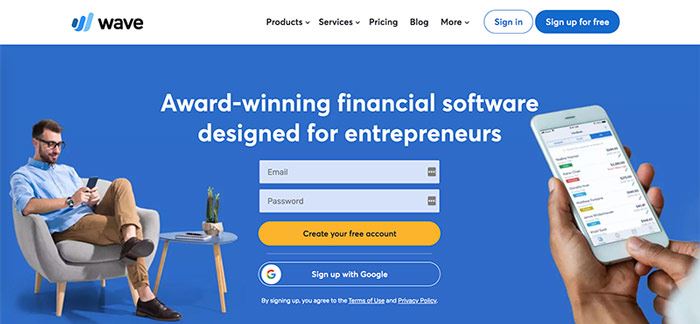
We are big fans of wave finances and recommend it to virtual assistants. It is a free invoicing and accounting software that also has credit card processing and payroll services.

AUDIO EDITING & RECORDING

Audacity
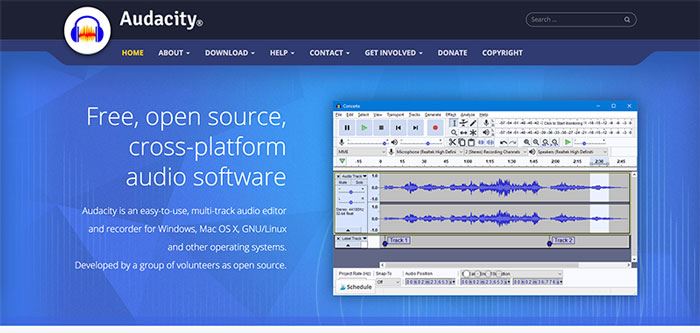
We’ve been using Audacity for years. It is a free, open-source, cross-platform audio software. It is an easy-to-use, multi-track audio editor and recorder that works on both Windows and Mac.

CALENDAR SCHEDULING TOOLS

Calendly
Calendly

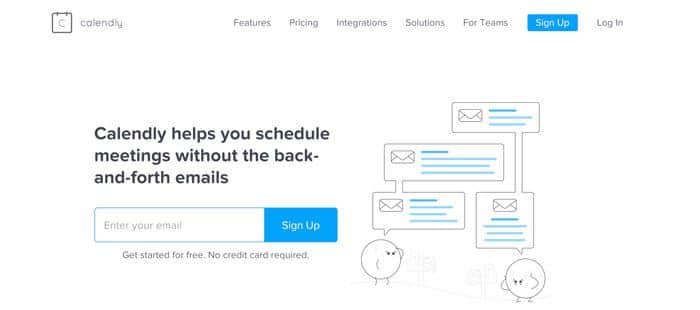
Calendly is an automated scheduling software that integrates with several popular calendars. You can send your personalized link to your clients so they can book calls with you during specific time slots. If you upgrade to the paid version you can integrate it with hundreds of other platforms and even collect payments.

Grab FREE ACCESS to 10 more tools and resources to help you easily transition to working at home.

Setmore
Setmore

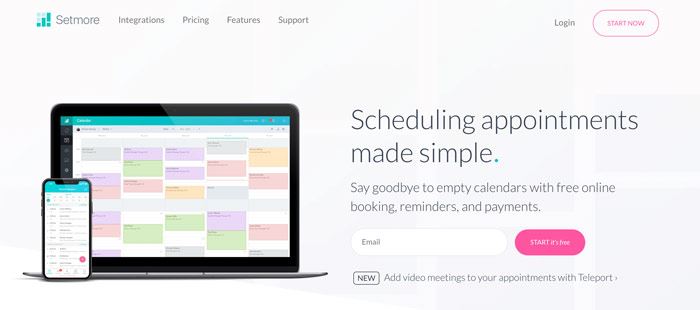
Setmore is another scheduling app that you can use to manage and book appointments with your clients. Their free version even allows you to collect payments through Square.

CLOUD STORAGE & FILE SHARING

Dropbox
Dropbox

Dropbox is a file hosting service and we don’t think we could live without it. It allows you to store folders and files of all sizes and easily share them with your clients. They’ve introduced some new features over the years but we mainly just use it to store and share files.

Google Drive

Google Drive

Google Drive is similar to Dropbox in that it’s cloud storage that allows you to store, share and access files from any of your devices. Your first 15 GB of storage are free the last time we checked. We do prefer Dropbox over Google Drive, but they are both great options and personal preference.

COLLABORATION & COMMUNICATION

Boomerang for Gmail
Boomerang for Gmail

We love this extension for Gmail! It’s free and adds scheduled (delayed) sending which is a feature we miss from our Outlook days. It also allows you to set follow up reminders so you never forget to follow up to an important email.

Evernote
Evernote

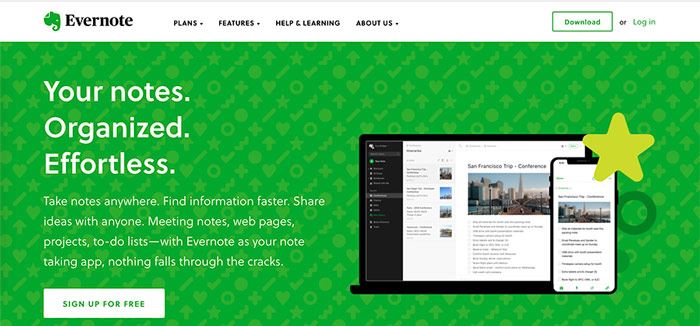
Evernote is another app that we’ve been using for years on end. It allows you to take notes from anywhere, find stored information faster and share ideas with clients and your team. Best of all, it’s free!

Grab FREE ACCESS to 10 more tools and resources to help you easily transition to working at home.

Google Documents
Google Documents

We use Google Documents daily and love that we can edit documents at the same time as our entire team from our computer, tablet or phone.

FaceTime
FaceTime

If you own an iPhone, iPad or a Mac this is an easy, free way to connect with your clients via video or voice. You most likely already use it and don’t need to download any extra software.


Google Voice
Google Voice

If you live in the USA you can get a phone number for free and use Google Voice as your business line. It allows you to make calls through their app on your phone or on your computer. You can even send and receive texts with your Google Voice number.

Loom
Loom Free Screen Recording

Loom is a free screen and video recording software that allows you to record directly from your browser or their desktop app. Loom is a great tool to use to send your clients quick explanation videos and tutorials. It saves a lot of time going back and forth through email.

Slack
Slack

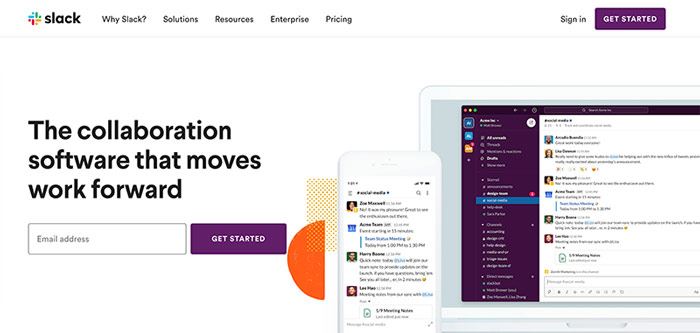
Slack is a popular collaboration platform where you can stay connected with your team and share files. There is a free version that should work for most and it has the ability to integrate with a variety of different apps.

Skype

Skype

Skype allows you to make free online calls, messaging and they offer affordable international calling to mobiles or landlines. You can even get a Skype phone number for an added fee so you can have a dedicated business phone number.

Grab FREE ACCESS to 10 more tools and resources to help you easily transition to working at home.

Spark Mail App
Spark Mail App

Virtual Assistants rave about the Spark Mail app as it keeps their inbox under control and best of all it’s free. It helps keep your inbox organized and clutter-free. You also have the ability to search, set reminders, schedule emails, communicate with your team and more.

Voxer
Voxer

Voxer is a free app that we use daily with our team, it’s kind of like a walkie-talkie with a record feature. You speak into the app and it records you and instantly sends the message to the recipient. You can use it to send text, images and videos as well but we just use the voice feature to communicate clearly with our team and clients.

Zoom Meeting
Zoom Meeting

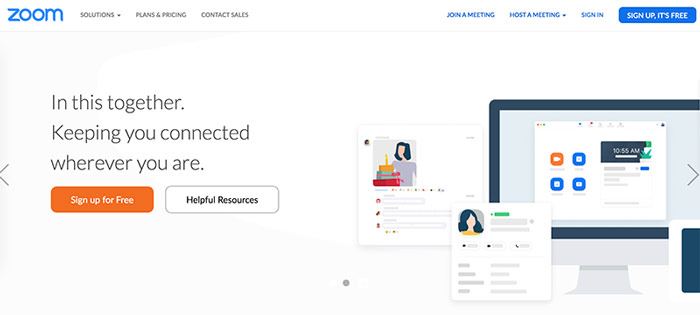
We love Zoom and do all our client meetings on it. It’s free to use and has a ton of features that will help make your meeting a breeze. You can go live on video, audio-only, chat, screen share, draw on the screen, share your smartphone screen and more. With the free account, you can have up to 100 participants and run a meeting for 40 minutes.

CONTRACT MANAGEMENT

HelloSign
Hello Sign

HelloSign is a secure way to send contracts to your clients so that they can sign them online without the need to print it out, scan it and send it back to you. The free plan allows you to send 3 contracts a month which will be more than enough if you have long-term clients.

Tispr

Tipsr is an all-in-one management software that helps self-employed people manage their work more easily so they can get more done. You can track your time, send contracts, manage tasks and store files. They have a free forever plan that will work for most people starting a work from home business.

EMAIL MARKETING

MailChimp

MailChimp

MailChimp is an all-in-one marketing platform mainly used for email marketing. You can sign up to MailChimp for free and build your list up to 2,000 subscribers at no cost. It’s a great platform to use to start email addresses. As we always say, the money is in the list!

Grab FREE ACCESS to 10 more tools and resources to help you easily transition to working at home.

MailerLite
MailerLite

MailerLite is a simple email marketing platform that you can use to build your list. They allow you to have up to 1,000 subscribers before you have to start paying a fee.

FORMS & SURVEYS

Google Forms
Google Forms

Google Forms is free and easy to use, they have a few templates that you can use or create your own form or survey from scratch.

JotForm
Jotform

JotForm is what we typically use to create our forms. It’s easy to use and they offer a ton of different integrations to make collecting information easy. Their template library has a lot more to offer than Google Forms.

SurveyMonkey
SurveyMonkey

SurveyMonkey is a great online survey tool that allows you to get feedback and information from your clients and audience. The free version is limited but is still functional.

Wufoo Forms
Wufoo Forms

If you aren’t interested in either of the previous form builders mentioned, there’s also Wufoo Forms which allows you to create custom forms. Wufoo has a free plan for up to 5 forms and 100 responses.

GRAMMAR & WRITING ASSISTANT

Grammarly
Grammarly

Grammarly is a free writing app that helps you eliminate errors. We aren’t sure how we survived without it! Go download it now and become a better writer instantly.

GRAPHIC DESIGN

Canva
Canva

Canva is a free online drag-and-drop graphic design program. It’s easy to use and they have templates for everything from Facebook graphics to blog banners. 

Photopea
Photopea

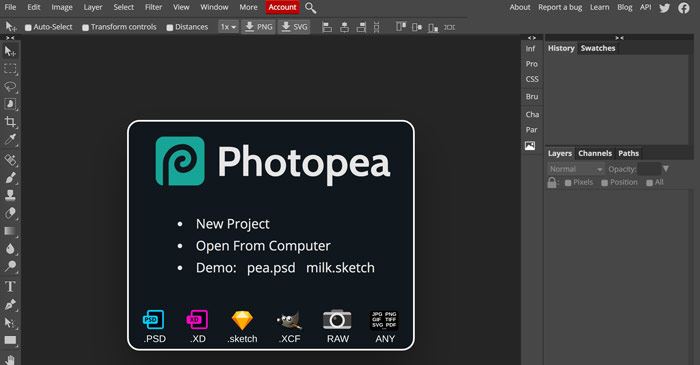
Photopea is an online photo editor that lets you edit photos, apply effects, filters, add text, crop or resize pictures. The interface looks a lot like Photoshop but its totally free!

Removebg

removebg

Removebg makes it easy to remove backgrounds from your photos. All you have to do is upload your image and it does all the work for you. It does a pretty good job too and often times we will use it over Photoshop.

Grab FREE ACCESS to 10 more tools and resources to help you easily transition to working at home.

PAYMENT PROCESSORS

PayPal
PayPal

It’s likely that have a PayPal account, and it’s still the most popular way to send and receive money for virtual assistants. It doesn’t cost anything to open an account but they do charge transaction fees. You can invoice your clients directly inside of PayPal so it makes it easy to receive money.

Stripe
Stripe
Stripe is an online credit card payment processing system. It is free to set up and like PayPal, they charge transaction fees. It’s available to use in several countries, you can look on their website to see if you can accept payments in your country. Stripe is our credit card processor of choice here at VAnetworking.
Square

Square

Square is another popular credit card processing app and you might have seen it at local businesses in your area. One of the main differences between Stripe and Square is that you can process payments online and in-person with Square. You can also set up their online booking system so your clients can schedule calls with you through your calendar. Square is only available in a few counties, you can see if it’s available in yours on their website.

PDF FORMATTING

PDFescape
PDFescape

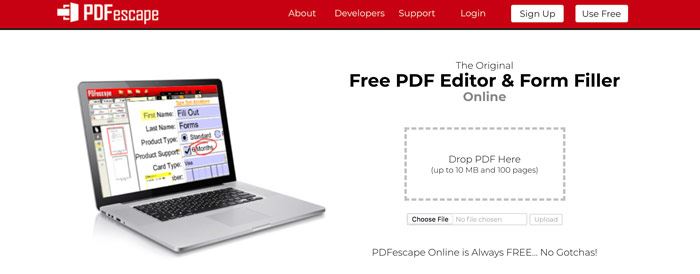
PDFescape allows you to edit PDFs, create fillable forms and convert PDFs for free. If you are just starting out, this is a great tool as Adobe Acrobat Pro is a hefty line item in your budget. 

Smallpdf
Smallpdf

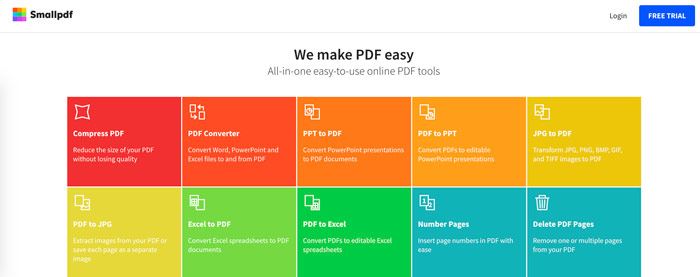
Smallpdf is an online software that allows you to edit and convert PDFs for free. It’s quick and easy to use.

NETWORKING

Meetup

Meetup

Meetup is a great place to find local networking groups and events. Try to find a few in your area to attend regularly, you’d be surprised by who you meet and might even gain a client or two.

VAnetworking’s Forum
Virtual Assistant Forum

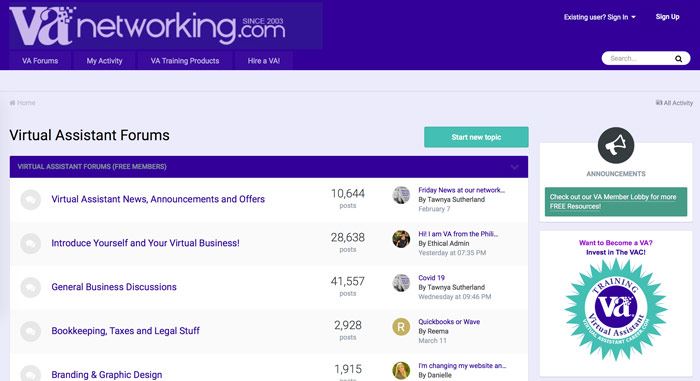
Our Virtual Assistant forum has been around since 2003 and is the largest one online today with members from all over the world. It’s free to join, so pop on over and say ‘Hi’ or ask us a question to do with your business so we can help you.

VAnetworking’s Virtual Assistant Facebook Group

This Facebook Group is for Virtual Assistants to socialize, learn, share and engage. Join us and post a question about anything to do with your VA business and we will find the answer for you!

OUTSOURCING

VAnetworking’s Job Board
Virtual Assistant Job Board

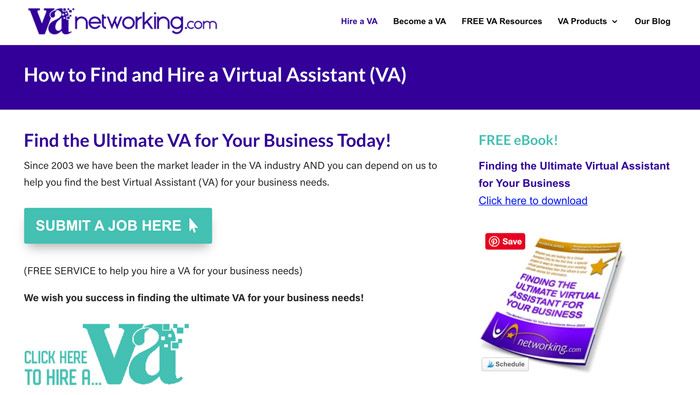
Looking to work with a Virtual Assistant and expand your team? Post your job to VAnetworking’s job board for free and find the perfect VA for your business.

PASSWORD MANAGEMENT

LastPass
LastPass

We can’t even remember life before LastPass. It has been a huge timesaver for our business. LastPass is a password manager that stores all your passwords in the cloud. You access them with your one master password. So you’ll only ever have to remember one password. It’s free to use and if you want to upgrade to a paid account (very affordable) you can share your passwords with your team.

REMOTE ACCESS

Teamviewer
Teamviewer

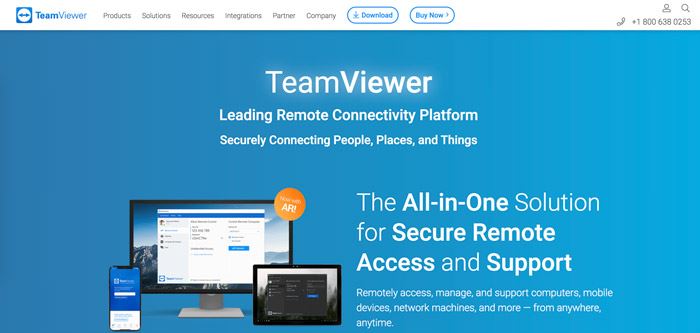
Teamviewer is a handy piece of software, it allows you to access computers remotely from anywhere. If your client is having a tech issue you can just log right into their computer and fix it for them.

Grab FREE ACCESS to 10 more tools and resources to help you easily transition to working at home.

SCREEN RECORDING

Loom

Loom Free Screen Recording

Loom is a free screen and video recording software that allows you to record directly from your browser or their desktop app. Loom is a great tool to use to send your clients quick explanation videos and tutorials. It saves a lot of time going back and forth through email.

Screencast-O-Matic
Screencast-O-Matic

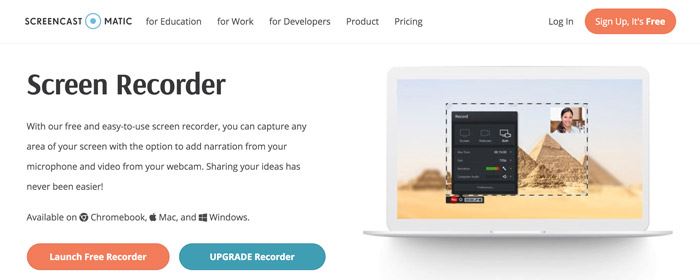
Screencast-O-Matic is a free screen recorder that you can use to capture any area of your screen with the option to add narration from your microphone and video from your webcam.

SOCIAL MEDIA SCHEDULING

Facebook Creator Studio or Publisher

You can schedule posts to your Facebook Business Page right inside of Facebook. Just go your ‘Publishing Tools’ on your page and you will see a spot to schedule them. You can also schedule posts in your Facebook Groups directly inside of your group.

Hootsuite

Hootsuite

Hootsuite is an online social media management program with both free and paid versions. You can use Hootsuite to post to multiple networks such as Facebook, Twitter, LinkedIn, Pinterest and Instagram. The free plan allows you to connect 3 social profiles and schedule 30 messages at a time. 

Later
Later

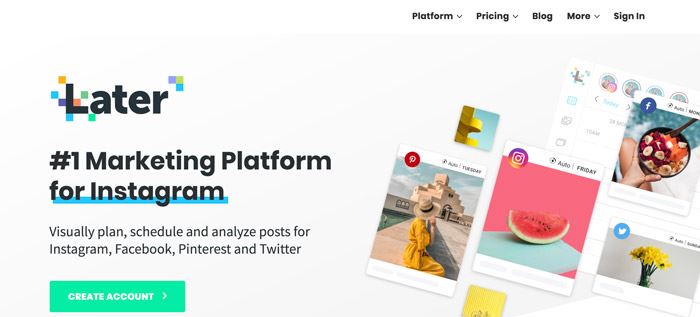
Later allows you to plan, schedule and analyze posts for Instagram, Facebook, Pinterest, and Twitter. The free version has its limitations but should work for Virtual Assistants.

Planoly
Planoly

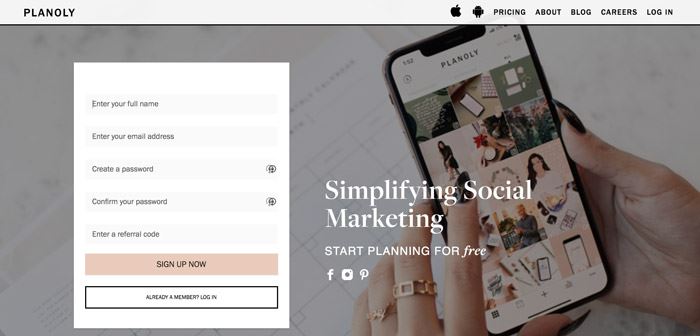
Planoly allows you to manage, plan and schedule your Instagram posts from both your computer and smartphone. It’s a great tool for Instagram management.

STOCK PHOTOGRAPHY & DESIGN ASSETS

Although we recommend purchasing all your stock photos, we’ve listed some free resources below. We purchase all our photos from DepositPhotos

123rf

123rf

Creative Market

Creative Market

Creative Market has over 3 million unique fonts, graphics, themes, photos, and templates designed by independent creators around the world. It isn’t a free site but they do give away 6 free designs assets a week. We recommend you sign up to their email list so you never miss a freebie.

DepositPhotos
DepositPhotos

DepositPhotos is a paid stock photos site and where we purchase all our photos. They send out free high-quality images each week so we added it to the list. Make sure to sign up for their emails so you get your free images each week.

Ivory Mix
Ivory Mix

Ivory Mix has over 550+ free styled stock photos for you to download. We love how feminine their photos are. They have a paid membership as well if you like their style.

Pexels

Pexels

Grab FREE ACCESS to 10 more tools and resources to help you easily transition to working at home.

Picjumbo
Picjumbo

Pixabay

Pixabay

Unsplash

Unsplash

PROJECT MANAGEMENT

Choosing a project management system is all about personal preference, sign up to a few and see which one works best for you.

Asana
Asana

Asana is our top choice for project management and what we use here at VAnetworking. You can set up multiple workspaces and projects which makes managing multiple businesses a breeze. The free version will probably work just fine but they have some useful added features if you want to upgrade to a paid membership.

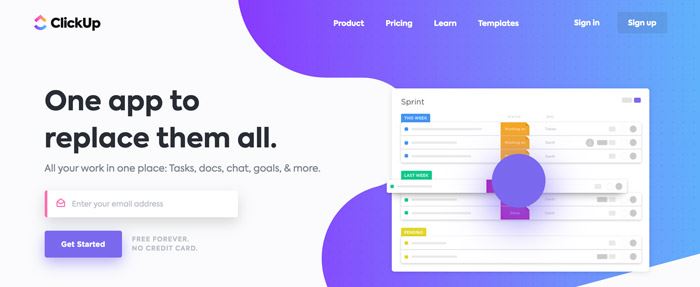
ClickUp
ClickUp

ClickUp is an all-in-one project management collaboration platform. We put it in the project management section as that is the feature we find VAs love the most.

Tispr

We’ve put Tispr in a few categories as it really is an all-in-one program. You can manage tasks, track your time, send contracts, and store files. They have a free forever plan that will work for most people starting a work from home business.

Grab FREE ACCESS to 10 more tools and resources to help you easily transition to working at home.

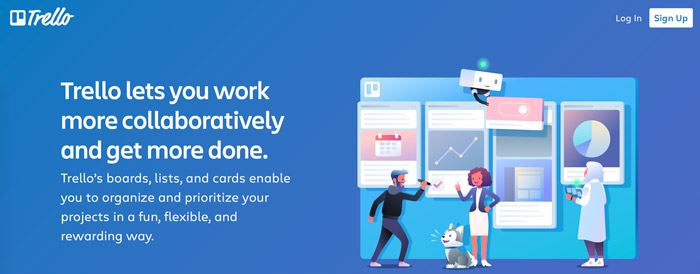
Trello
Trello

Trello is a visual project management tool that helps your organize your business. It’s a very popular one for VAs, check it out and see if it’s right for you.

TIME TRACKING

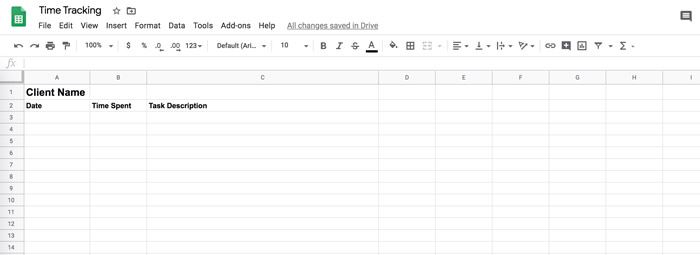
Google Spreadsheet
Spreadsheet for Time Tracking

Using a spreadsheet to keep track of your time is an old fashioned way but it’s free and it works. Just make a few columns, date, time and task and fill it in as you go. Make a copy of this spreadsheet and start using it right away.

Tispr

Ok, we promise this is the last time we will mention Tispr. It is an all-in-one program where you can track your time, send contracts, manage tasks and store files. They have a free forever plan that will work for most people starting a work from home business.

Toggl

Toggl is a popular free time tracker with powerful reports that works across multiple devices.

Toggl

TIME ZONE CONVERTERS

It’s fairly likely that you will have clients in time zones different than your own. It’s helpful to have a time zone converter so you can work more efficiently with your clients. Both of the time converters listed below work well and are free.

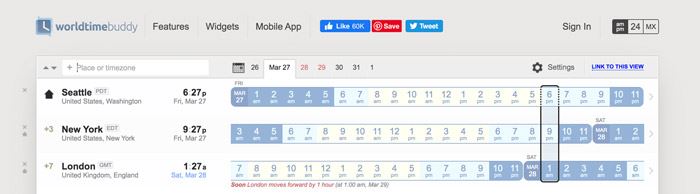
World Time Buddy
worldtimebuddy

This is an awesome tool to help share times of your meetings in the right time zone with the people you work with. Never miss another meeting because of time-zone discrepencies.

Time and Date
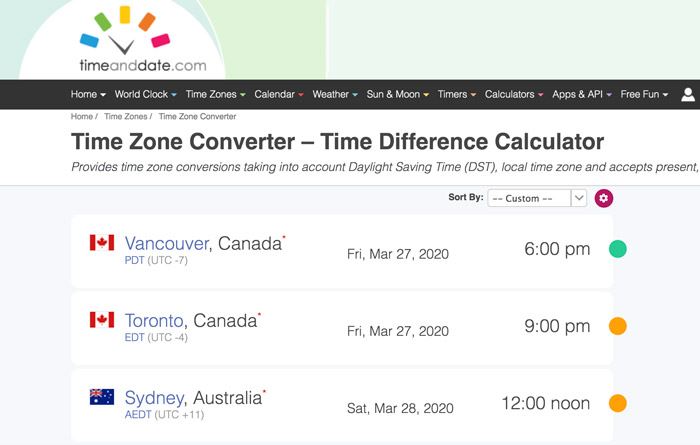
timeanddate converter

Another great free website to help you figure out the time and date no matter where you live. It even offers printable PDF Calendars if you ever require one for whatever business reason.

VIDEO CONFERENCING, MEETINGS & WEBINARS

FaceTime

FaceTime

If you own an iPhone, iPad or a Mac this is an easy, free way to connect with your clients via video or voice. You most likely already use it and don’t need to download any extra software.

FreeConferenceCall
freeconferencecall

This free conference call platform has been around for years. It isn’t mentioned much ever since Zoom came out but it’s still a good option to explore.

Skype

Skype

Skype allows you to make free online calls, messaging and they offer affordable international calling to mobiles or landlines. You can even get a Skype phone number for an added fee so you can have a dedicated business phone number.

Grab FREE ACCESS to 10 more tools and resources to help you easily transition to working at home.

Zoom Meeting

Zoom Meeting

We love Zoom and use it for all our client meetings and webinars. It’s free to use (although we have the paid version) and has a ton of features that will help make your next meeting or webinar a breeze. You can go live on video, audio-only, chat, screen share, draw on the screen, share your smartphone screen and more. With the free account, you can have up to 100 participants and run a meeting for 40 minutes.

What free tools can you not live without for your virtual assistant business?  Share it with us in the comments below. 

Virtual Assistant Salary – The Definitive Guide

Virtual Assistant Salary – The Definitive Guide

‘It is projected that in 2027, 86.5 million people will be freelancing in the United States and will make up 50.9 percent of the total U.S. workforce.’

Source: Statista

The same source also reports:

‘About 32 percent of U.S. freelancers stated that the percentage of freelancing work that they obtained online had increased a lot in the previous year’.

Online employment is not something in the future. It’s here, right now, and many of us have wholeheartedly embraced it.

How about YOU? Have you been thinking of pursuing an online career recently?

If you haven’t, you might be missing out on more than you realize.

And if you have, but aren’t sure where and how to start, you’ve come to the right place.

This is NOT a guide on how to make easy money, but instead, it’s an invaluable resource on how to build a great career!

Work Shifts from Full-time to Free Agent Employment

‘Traditional employment will no longer be the norm, replaced by contingent workers such as freelancers and part-time workers. The long-term trend of hiring contingent workers will continue to accelerate with more than 80 percent of large corporations planning to substantially increase their use of a flexible workforce.

Source: The Intuit 2020 Report

Landing a work from home job as a Virtual Assistant (VA) is a perfect way to break into the thriving online work industry.

According to a report quoted by Virtalent‘the VA industry will grow at a CAGR of 4.4% between 2018 and 2022’.

So, if you haven’t considered this option before, NOW is the right time and here’s why.

As the benefits of becoming a Virtual Assistant, as well as the benefits of online jobs in general, are numerous and far outweigh any minor drawbacks, there’s no reason why you shouldn’t consider giving it a try.

To name just a few major benefits:

  • You can work from home, a cafe, a park, a mountain or anywhere else you like as long as there’s an Internet connection.
  • You set your own rates and your own flexible schedule.
  • You’re free to choose who you want to work with.
  • you don’t waste time commuting to the office, and you can enjoy the privilege of spending that extra quality time with your dearest ones.
  • You save money as you don’t have to pay for transportation or spend cash on business clothes and meals in restaurants.

In short, you are your own boss and work on your own terms.


Do you doubt that working as a Virtual Assistant is a viable career?

Let us reassure you and help you to start growing your business and income so that a much wished for family trip to Disneyland isn’t just a dream but instead becomes a reality.

And why stop at just Disneyland?!

Enable yourself to afford things such as the best possible education for your children and avoid future headaches when paying for things such as insurance, household and grocery bills that have a tendency to add up every month.

This in-depth definitive guide will help you to understand a variety of Virtual Assistant job roles, salary ranges and will teach you how to get started as a home-based VA . . . Table of Contents:

error: Content is protected !!